
Verifying Our Configuration After Update
**Verifying the SCCM Version and the Console Version **
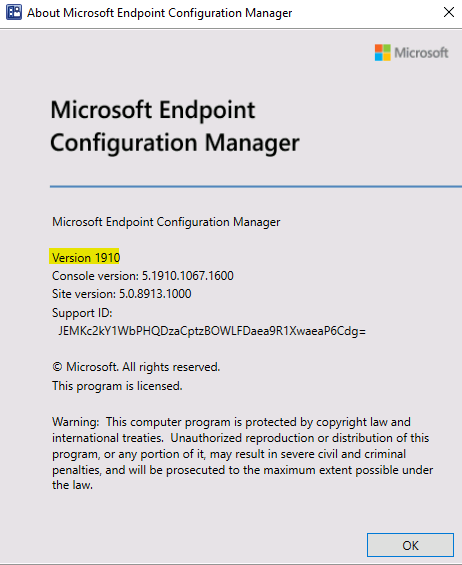
From Configuration Manger Console, from the ribbon, click the down arrow, click about Configuration Manager. You should see **Version 1910 **and the latest console version displayed, which is 5.1910.
**Now let’s checkout our Site Server Version **
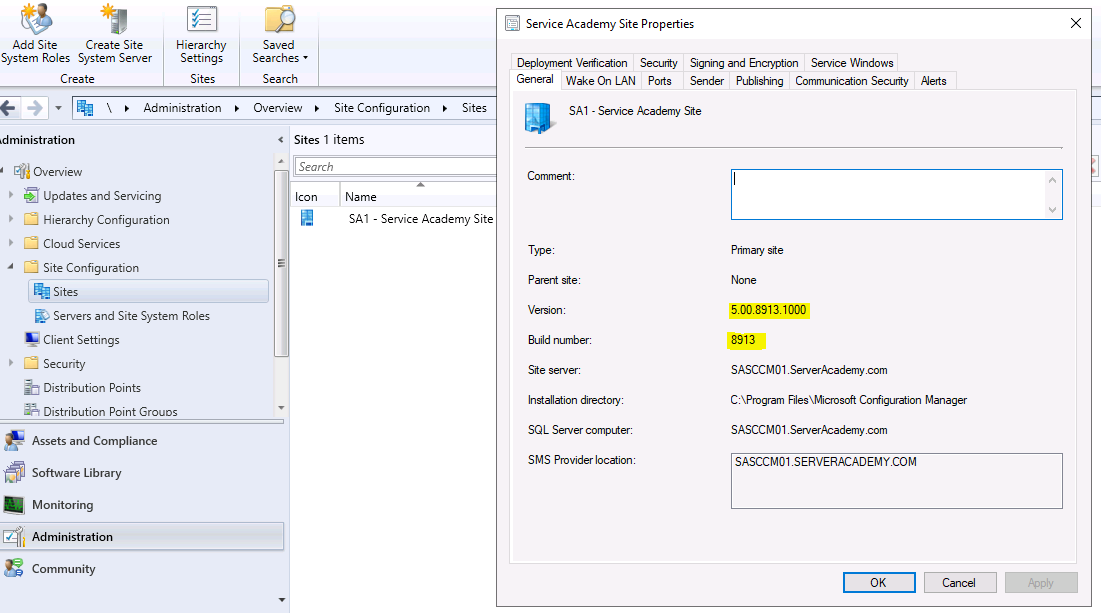
- From Administration, click Site Configuration, then click Sites.
- Right click on your site in this case it’s SA1 – ServerAcademy Site
- Click properties
- Click General.
- You should see the current Version (8913) and the current build number which is 8913 as well displayed.
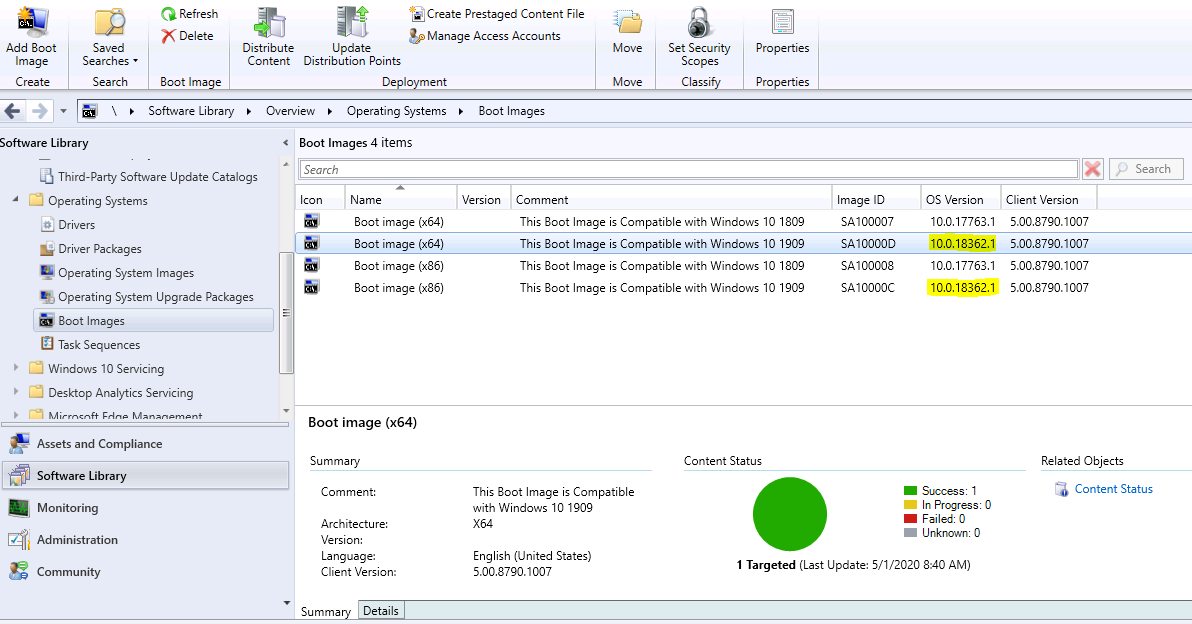
Now verify that our boot images have been updated.
- From Software Library, click Operating System, then click Boot Images, verify that the version is 10.0.18362.1. These boot images will be compatible with Windows 10 version 1909
**Now let’s Verify that our Client Packages have been updated **
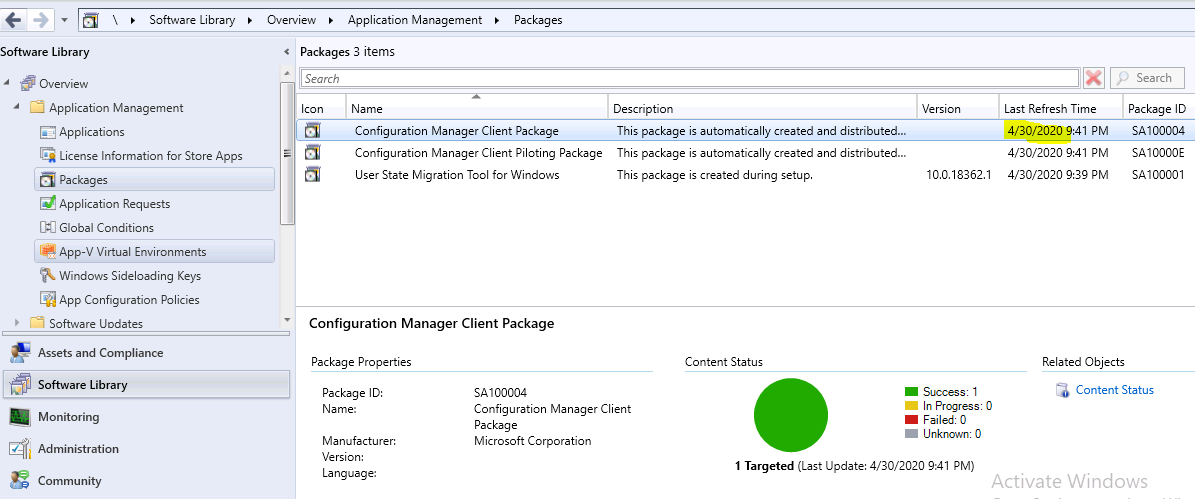
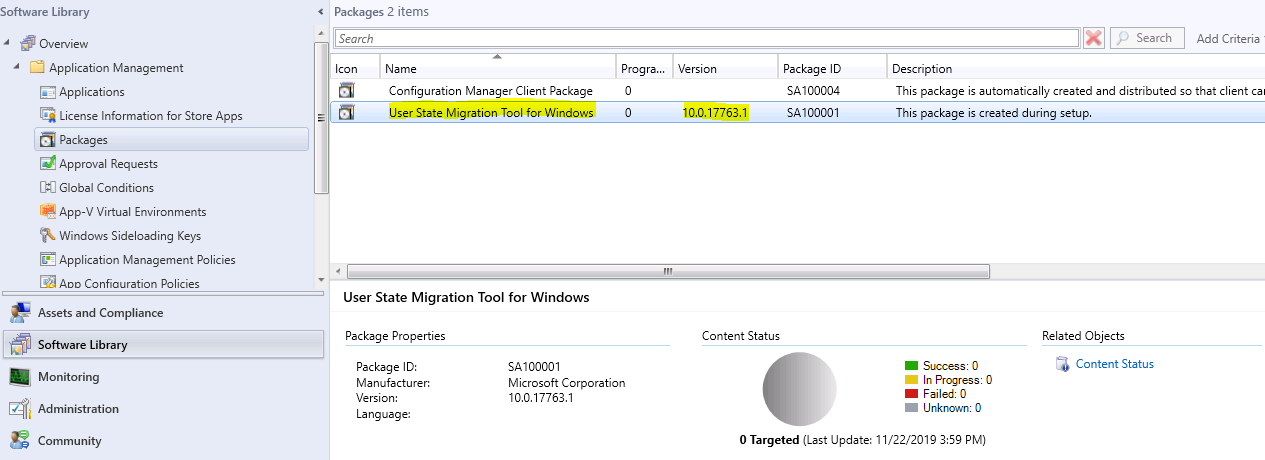
- From Software Library, click Application Management, then click Packages
- Before the update, the date for the Client package was 11/22/2019
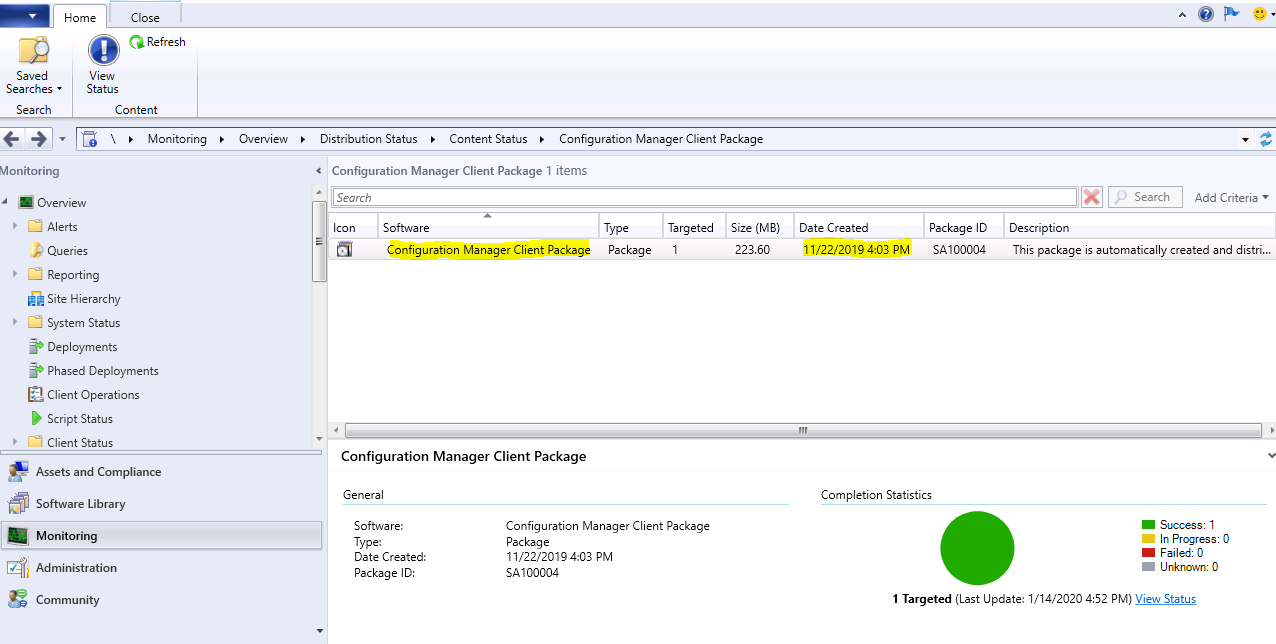
**After the Update, the Date is now: 4-30-2020 **
**Before the update the User State Migration Tool for Windows was version 17763.1 which is from ADK 1809 **
**After the update the User State Migration Tool Version for Windows is 10.0.18362.1 **
![](http…
No comments yet. Add the first comment to start the discussion.