
Preparing for Client Installations with Group Policy
In this lesson, we are going to configure Group Policy settings for our domain workstations so they would be able to successfully install the SCCM client.
We are going to be completing this lecture from our Domain Controller which is ITFDC01.
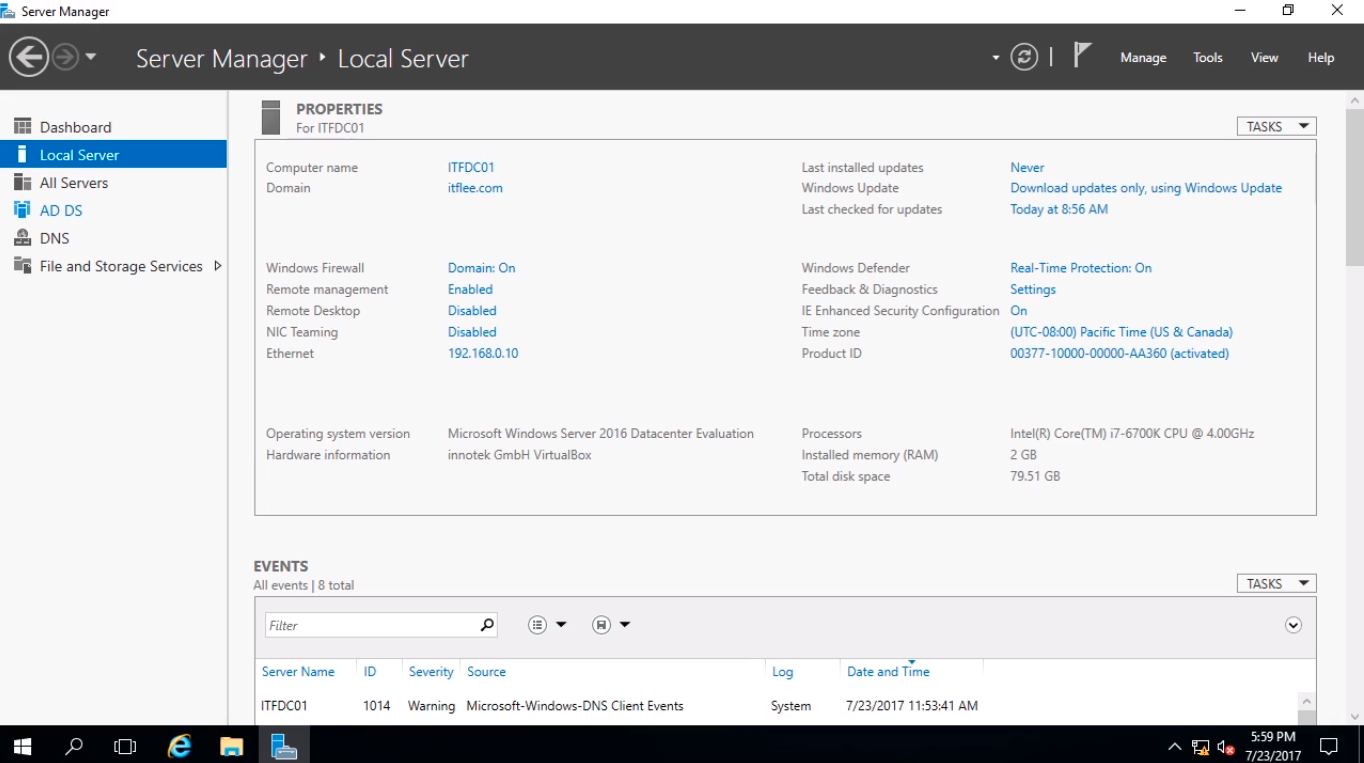
Once logged in we are going to open Active Directory Users and Computers by selecting Tools > Active Directory Users and Computers.
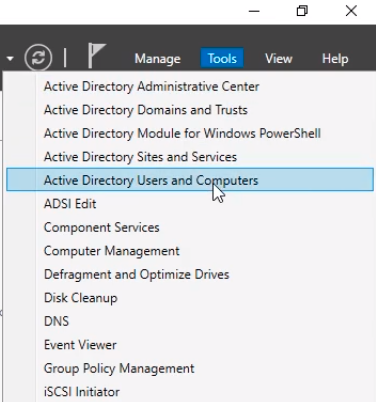
The reason why we are going to do this is we are going to create a couple of Organizational Units before we get to Group Policy.
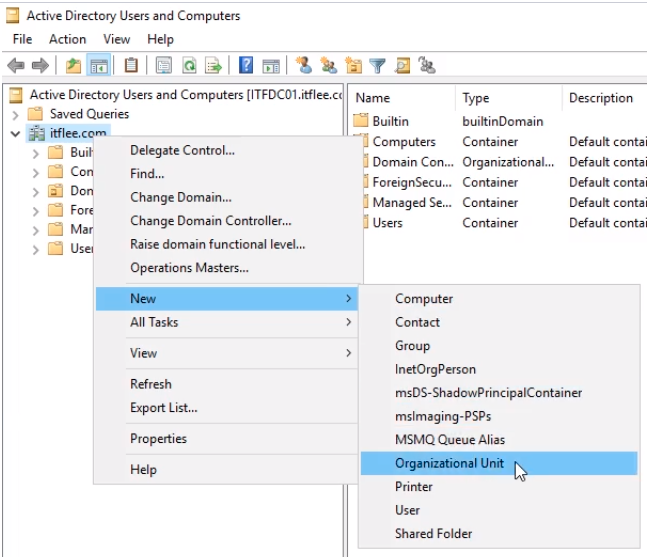
I am going to right-click on the root of my domain which is itflee.com. Select New > Organizational Unit.
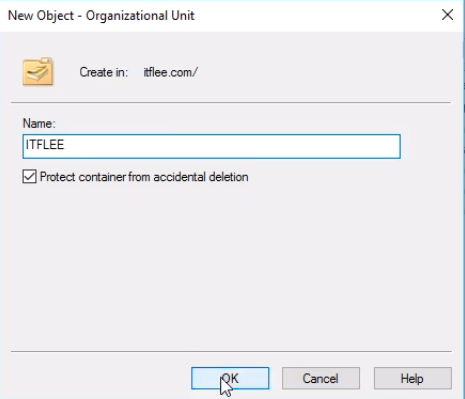
We are going to call it ITFLEE and click OK.
Now, within this Organizational Unit I am going to create another Organizational Unit. Right-click ITFLEE and select New > Organizational Unit.
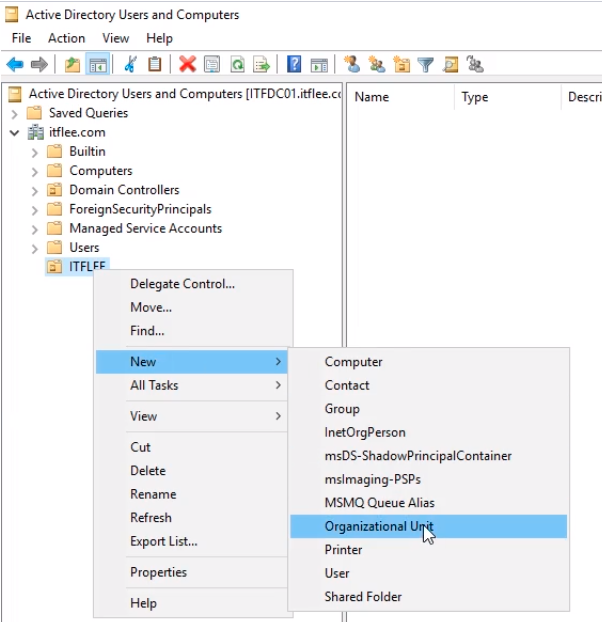
We are going to call this SCCM and click OK.
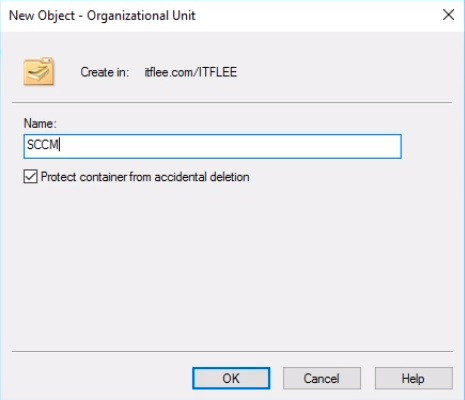
Create another Organizational Unit under ITFLEE and this time call it Workstations, repeating the same steps as before.
Now, if you remember we created a couple of users before, one was called SCCM Admin, and SQL Admin. We are going to drag and drop those on the SCCM OU.
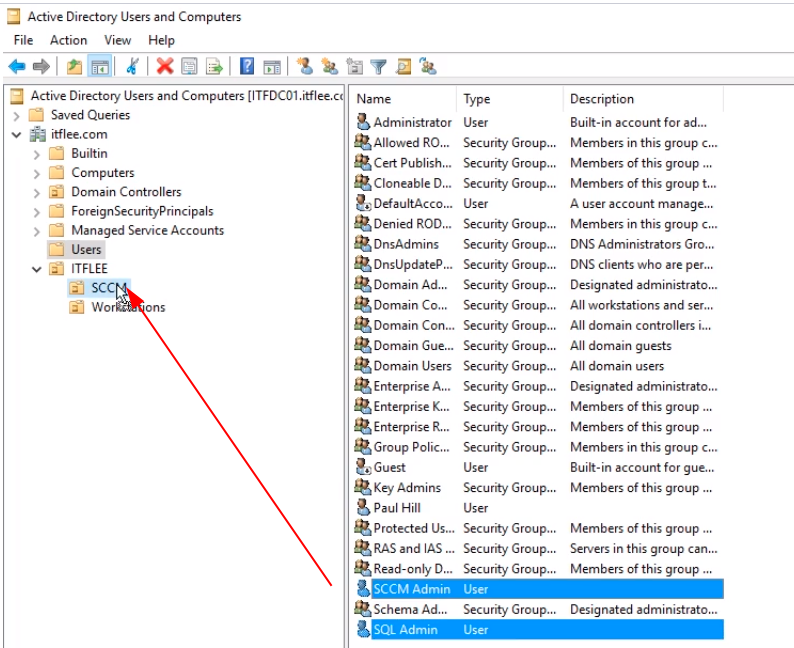
Click Yes on the warning message.
No comments yet. Add the first comment to start the discussion.