
Creating Domain User Accounts
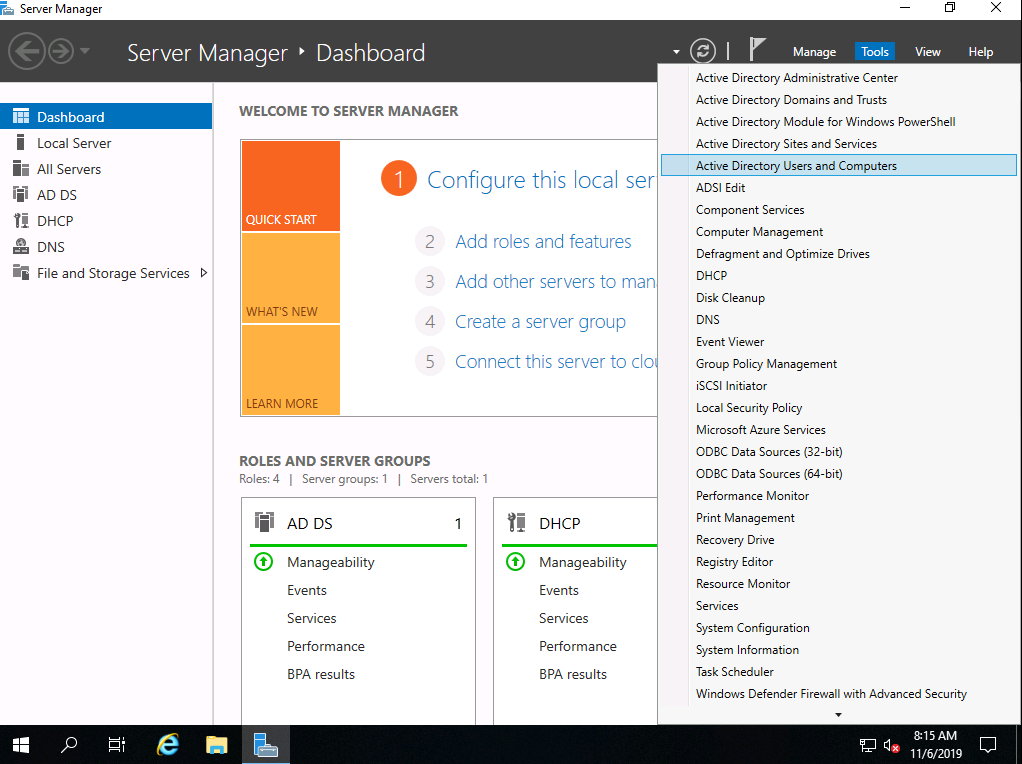
Log in to your domain controller (in my case SADC01) and within Server Manager, click Tools > Active Directory Users and Computers:
Next, navigate to where you would like to store the domain user accounts for our SCCM installation. For my scenario, I am going to place everything under ServerAcademy.com > ServerAcademy:
Inside of the Service Accounts OU, create the following user:
- SQLService
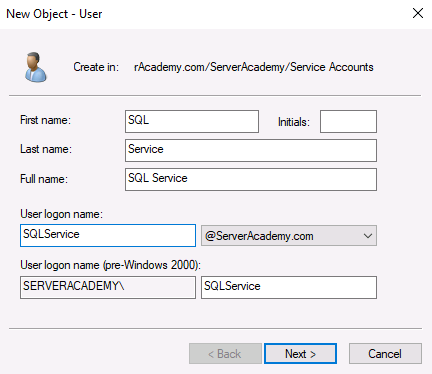
I am going to configure the users password to never expire. This is generally a bad security practice and in a real production network, you should be constantly cycling secure passwords. If you don’t check this checkbox and the account password expires then the service that uses the service account will be broken until you fix the password.
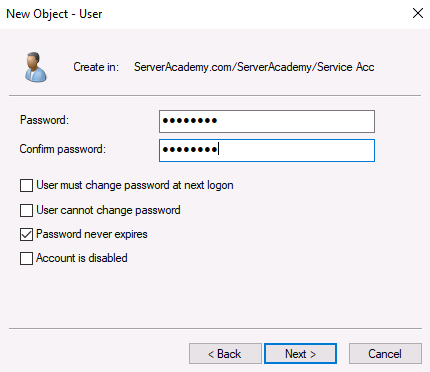
I am going to use “Pa$$w0rd” as the password and I will create the user account.
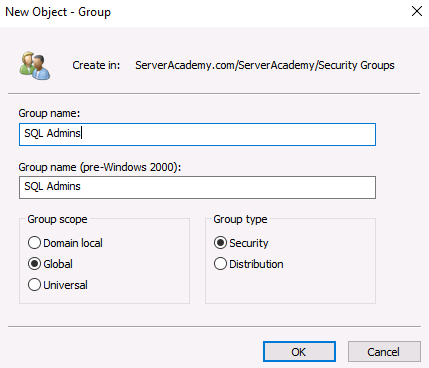
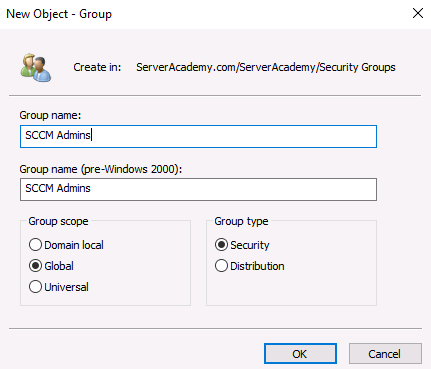
Inside of the Groups OU, create the following groups:
- SQL Admins
- SCCM Admins
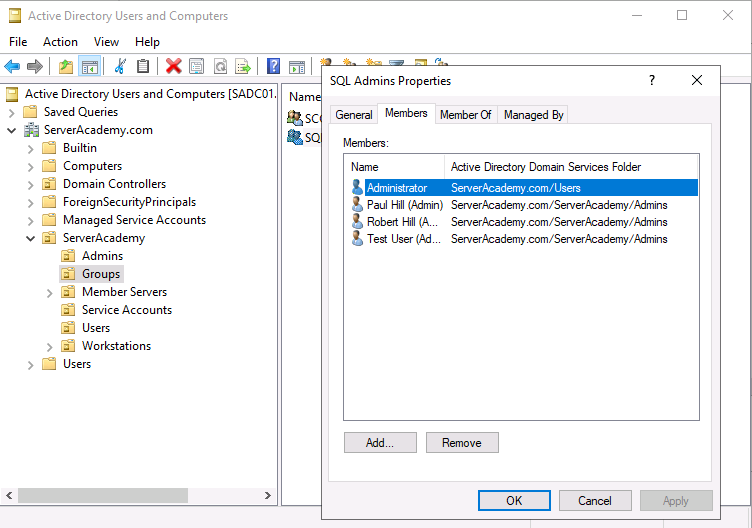
Next, open the “SQL Admins” group and add the appropriate members that you wish to be able to administrate your SQL server. I am going to include the following user accounts I have in my domain:
- paul.hill-admin
- robert.hill-admin
- test.user-admin
- Administrator
Next do the same for the “SCCM Admins” security group. In my case I am going to use the same two accounts since I am in my lab env…
No comments yet. Add the first comment to start the discussion.