
Query Based User Collection Challenge #1
In this challenge you will create a query based user collection that pulls users from the Domain Admins group into a user collection called Query AD.
You will need the guide that came with this lecture to complete this challenge.
Let’s say from SCCM you need to keep track of what users in your organization are members of the Domain Admins Group
If you need help with Active Directory, I will help you out with creating and adding new users. Otherwise you can take what you have learned so far and create this collection on your own.
- From the Domain controller let’s create accounts for the Domain Admins Group.
From the Domain Controller open Server Manager, click tools, then click Active Directory Users and Computers. Click the arrow to the left of ServerAcademy.com, then click users.
Double click Domain Users group, then click Members. Add a total of three new users here in the Domain Users group. Stop the video while you do this.
- Now that we have created the users we will Add them to the Domain Admins Group
Double click **Domain Admins, **click members, then click Add, type the first name of one users you created. In this case I type Robert then click Check Names, and choose Robert Hill. Click ok. Now repeat this step for the next two users. Stop the video while you do this.
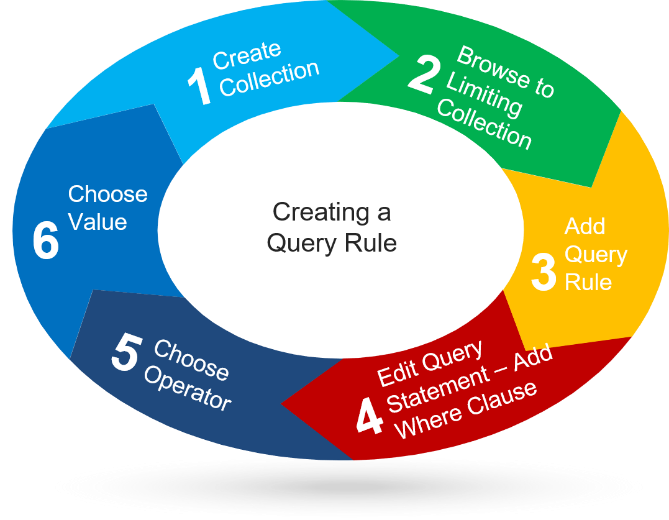
- Now refer to the guide that came with this lecture and follow Steps 1 through 6. And name the collection Query AD
Then use the information below for steps 4,5,6
Criterion Type – Simple
-
Where – User Resource, User Group Name
-
Operator – is equal to
-
Value – Domain Admins
- Now go back to** Assets and Compliance, click Query AD, press F5, now the member count should be three.**
**Not…
No comments yet. Add the first comment to start the discussion.