
Configuring our SASCCM01 Server
In this lecture, we are going to be configuring our SASCCM01 server by renaming the server, configuring a static IP Address, and joining it to our Windows Domain that we created earlier.
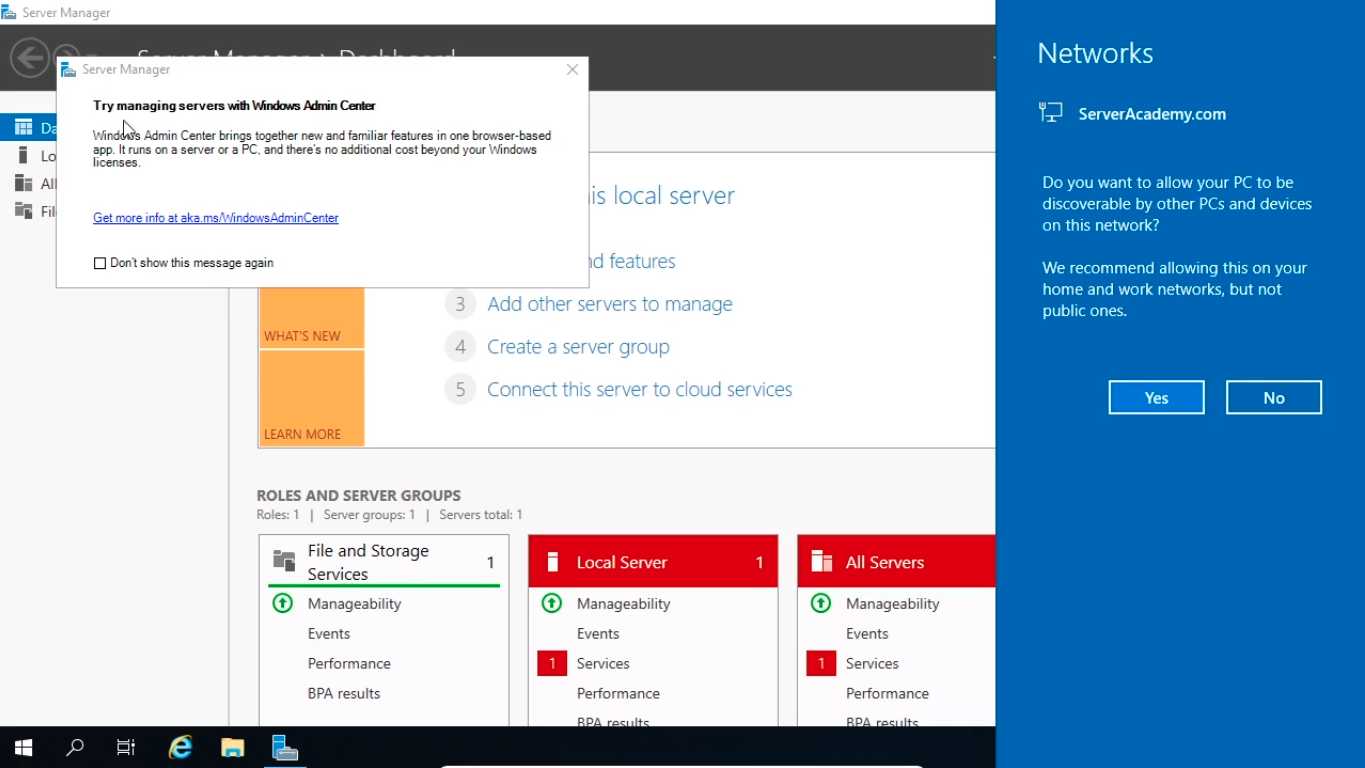
I’ve logged in to the SASCCM01 server and right away I can see that we have a popup for the Windows Admin Center, I am going to click out of that.
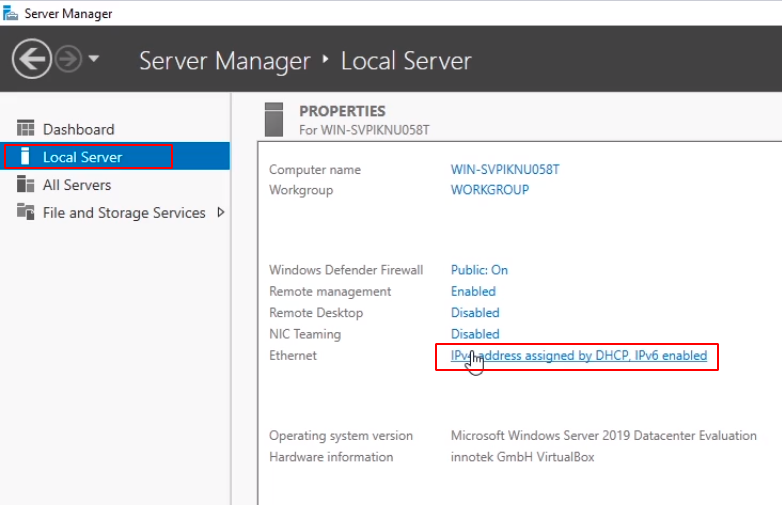
We are going to go to the Local Server tab on the left and then we are going to click over next to Ethernet. We are going to click on this blue text that says IPv4.
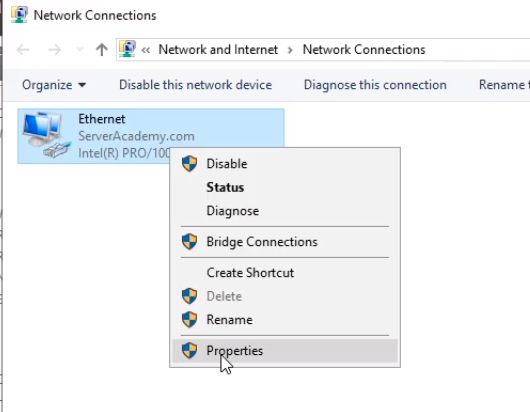
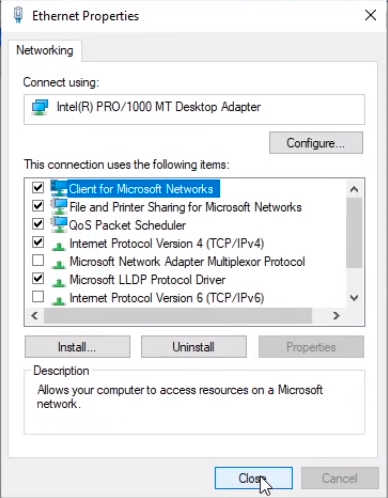
We are going to right-click over Ethernet and choose Properties.
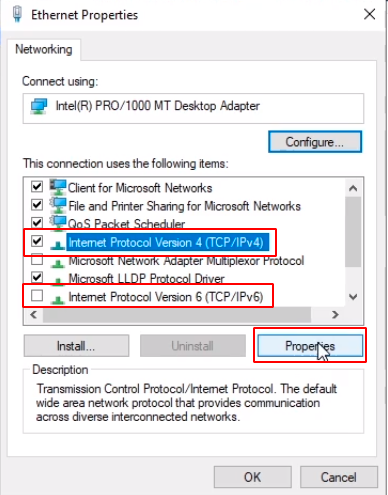
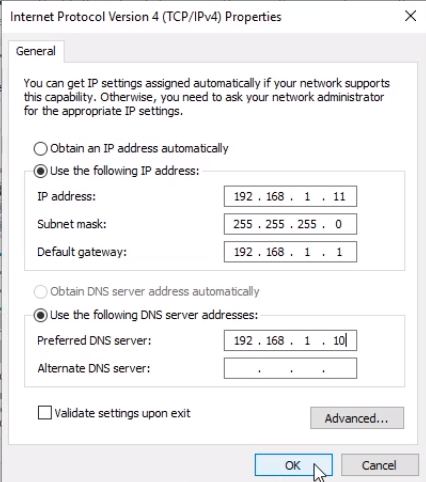
Next, we are going to uncheck IPv6 since our lab doesn’t really need to use this and we select Internet Protocol Version 4 (TCP/IPv4) and we click the Properties button.
Now, I am going to specify a Static IP Address. I am going to select Use the following IP Address. This IP is going to be 192.168.1.11. Now if I press Tab it will autocomplete the Subnet Mask. I can press the tab again and go down to the Default Gateway which is going to be 192.168.1.1.
Now, our preferred DNS server is going to be the Domain Controller which is 192.168.1.10. And this is a requirement for joining our Domain since that is the DNS server for ServerAcademy.com.
So we click OK.
And I am going to click Close.
I’ll select Yes from the right popup window.
![](https:/…
No comments yet. Add the first comment to start the discussion.