
SCCM Compatability Check
This lecture is for those of you who plan to install SCCM not in a lab but in your existing Windows Server network. Some of our students take this course and need to install SCCM at work, and if this describes you then be sure to complete this lecture.
In our lab, we will be installing SCCM 1902. This works because we built our lab with the latest versions of Windows 10 and Windows Server (2016 / 2019).
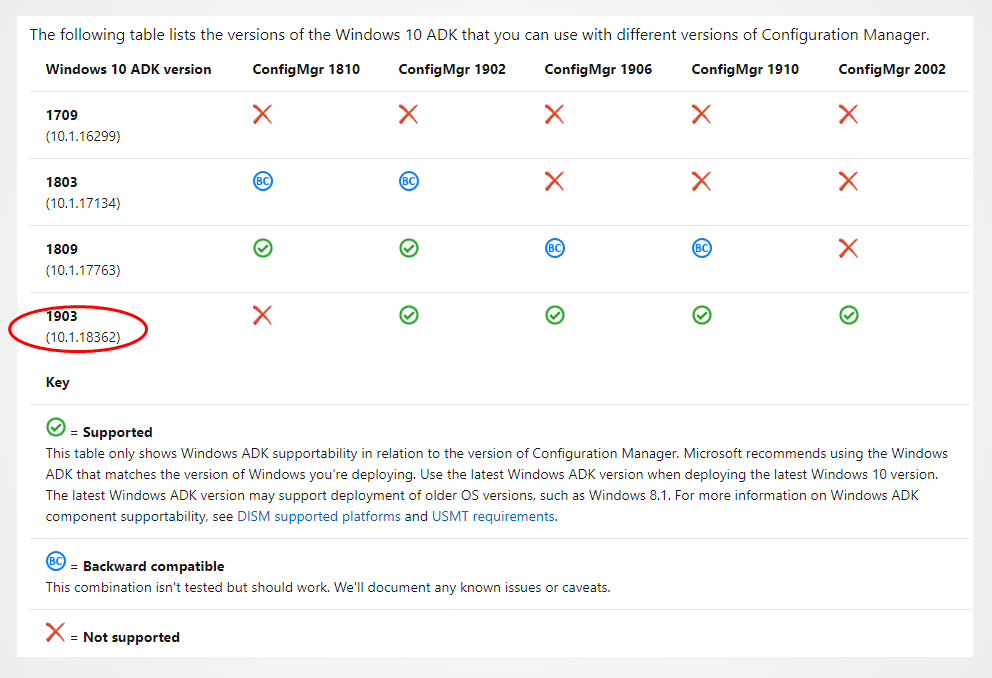
In your network, you may have older or different versions of Windows 10 or Windows Server, so you will need to consult the chart below to see what versions of the ADK or SCCM you should be running.
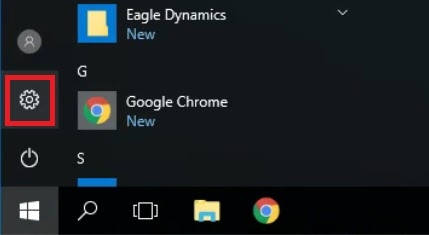
Below are instructions for how you can check to see what version of Windows 10 you are running. Log into the target workstation, then clicking the Windows button and selecting Settings:
Within the Settings window, navigate to System > About:
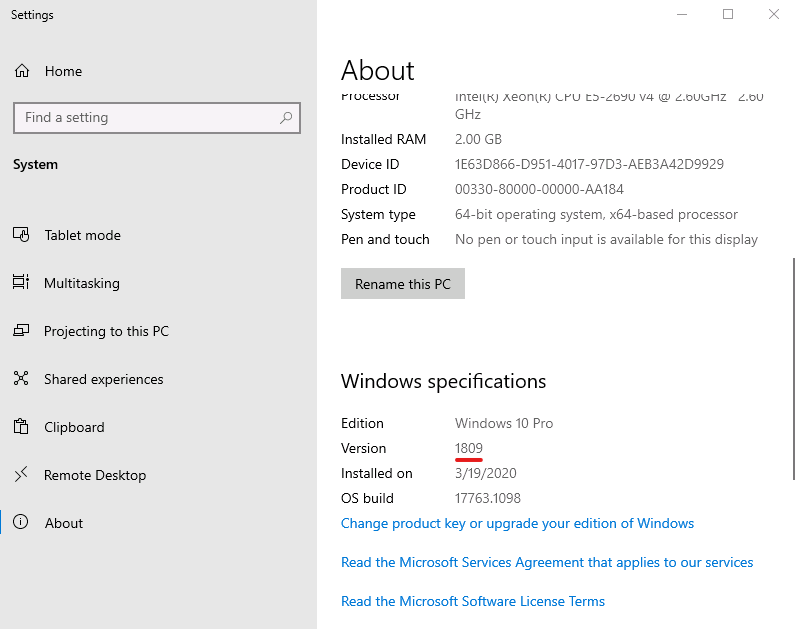
Here you will see the current edition and version you have installed on your computer.
No comments yet. Add the first comment to start the discussion.