
While Loops
In this lecture, I am going to discuss While Loops.

Now, what I am going to do first is open PowerShell ISE as an Administrator.
Let's discuss what a While Loop is. A loop that will repeat a set of commands indefinitely until a condition is met.
It is somewhat similar to the For Loops except for the fact that a For Loop is just counting from 0 to 5, or 0 to 10, or whatever the number may be, and only repeat the set of instructions until a count is done.
A While Loop will run these instructions indefinitely until a condition is met.
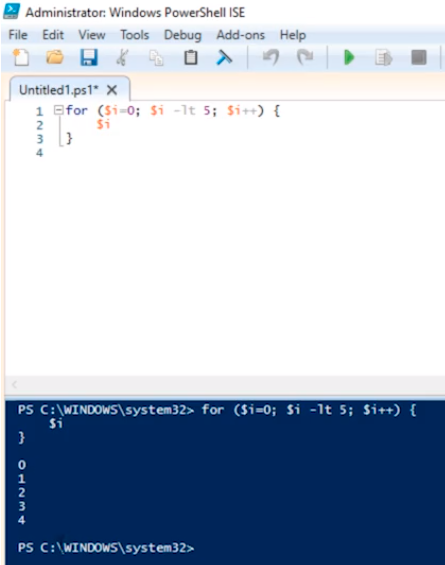
If we were to write a For Loop you might remember we write it like this:
for ($i = 0; $i -lt 5; $i++) {
$i
}
If we execute this we get 0 through 4
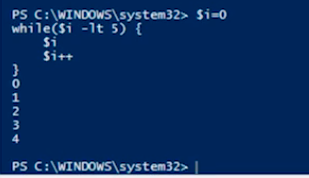
And, if we want to repeat this in a While Loop we will type:
$i = 0
while ($i -lt 5) {
$I
$I++
}
If we execute this code we get the same result
You might be wondering, why would we ever use a While Loop if we can use a For Loop? Well, if you are going to be counting from 0 to 5 you want to use a For Loop but if you have other dependencies or other conditions there may be cases where you want to use a While Loop.
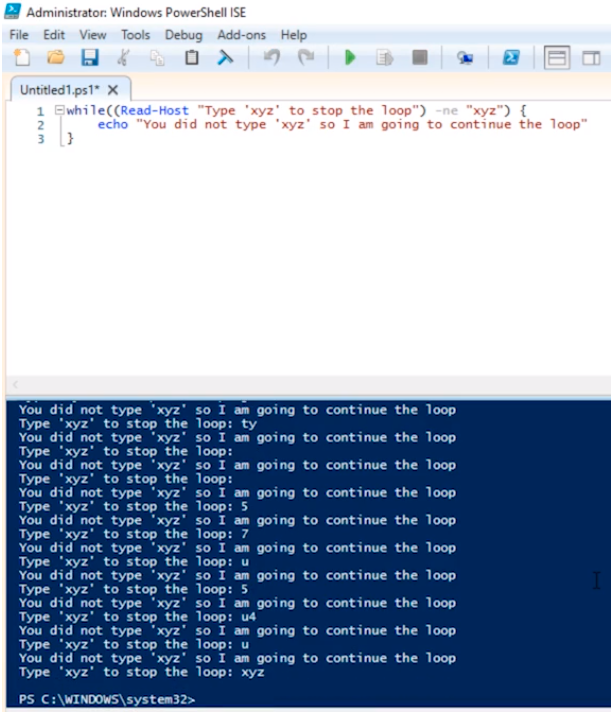
For example, let’s make a While Loop:
while ((Read-Host “Type ‘xyz’ to stop the loop”) -ne “xyz”) {
echo “You did not type ‘xyz’ so I am going to continue the loop”
}
So if we execute this script it will continue to run indefinitely until I enter “xyz”
Now, there’s also another way yo…
No comments yet. Add the first comment to start the discussion.