
Uninstalling Windows Features with DSC
First, on SAMS01 (or your member server) make sure the SMB 1.0/CIFS File Sharing Support feature is installed:
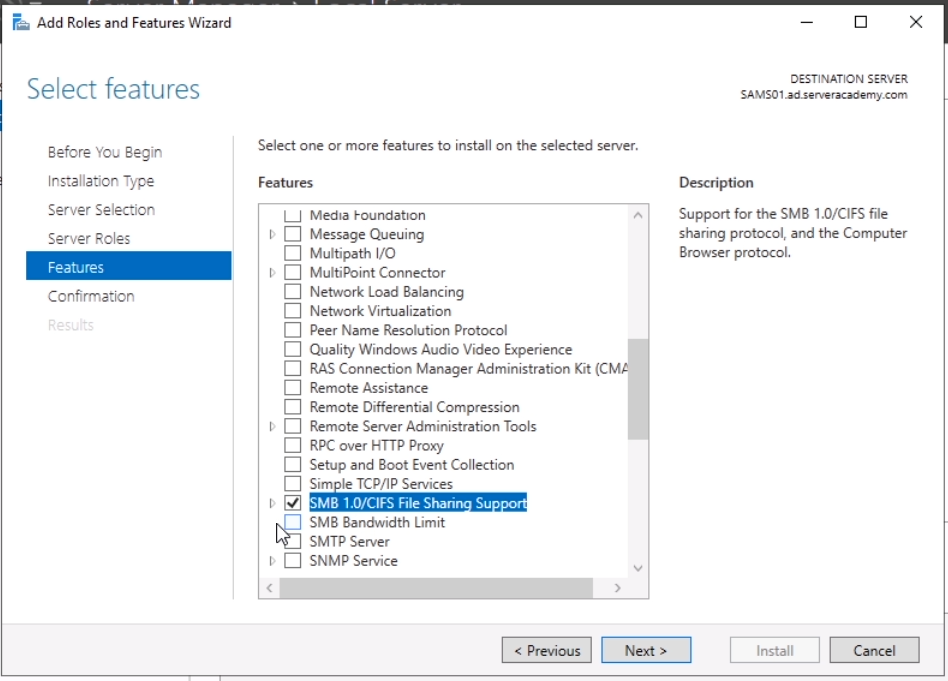
This is the feature that we will be removing from SAMS01. Once you’ve done that, head over to SADC01 to beging writing the node configuration.
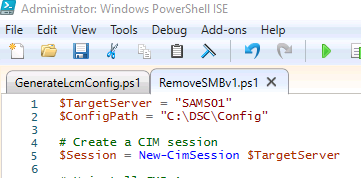
To get started with this lecture, we are going to create a new PowerShell script called “RemoveSMBv1.ps1” in the “C:\DSC” folder:
The script will start out with the same few lines as the LCMConfig script by declaring the TargetServer variable and creating a CIM session with the target server.
Also add a variable for the config paths:
$ConfigPath = “C:\DSC\Config”
Next, we need to create a configuration for removing a Windows Feature (SMBv1) from our target node:
Uninstall SMBv1
Configuration RemoveSMBv1 {
}
We are running the Import-DscResource so the configuration command will run without error.
Now let’s create the MOF file with this configuration:
Create MOF file for target server
$RemoveSMBv1 = RemoveSMBv1 -Outputpath "C:\DSC\Configs"
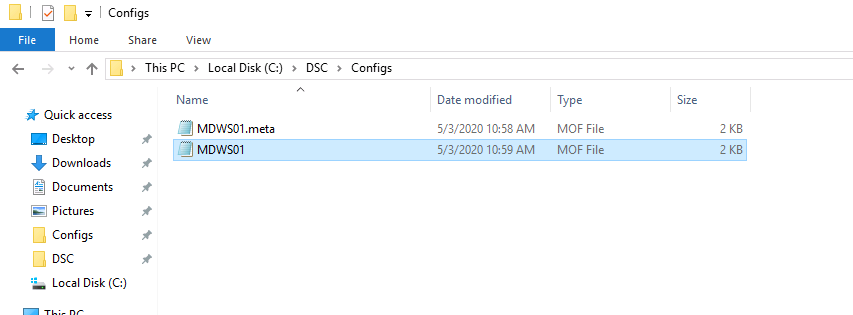
A new file is created in the “C:\DSC\Configs” folder. The MDWS01.meta.mof is the LCM (local configuration manager) config and the MDWS01.mof is the node configuration.
Once the MOF file is generated, we can test our node against the LCM configuration file we just generated:

This should…
No comments yet. Add the first comment to start the discussion.