
PowerShell Provider CMDlets -1
In this lecture we will take a look at several different cmdlets that are designed for use with Powershell Providers.
If you would like a complete list of provider cmdlets and links for further information, check the following link: PowerShell Provider cmdlets
**Location Cmdlets – These cmdlets are **used for directory navigation. The cd (change directory) command can be used to navigate between directories. But, as the number of directories that we need to track grows, this approach becomes more and more inefficient, as most of these paths are usually too long to type. And that’s why location cmdlets can be extremely useful.
**Get-Location **– (alias GL) This cmdlet gets an object that represents the current directory.
Sets the working location to a specified location
Set-Location – (alias is SL) Sets the working location to a specified location. That location could be a directory, a subdirectory, a registry location, or any provider path.
** Push-Location** – (alias is pushd) Adds ("pushes") the current location onto a location stack.
**Pop-Location** – (alias is **popd**) Changes the current location to the location most recently pushed onto the **stack **by using the Push-Location cmdlet.
What is a stack? Think of a stack like a stack of books.
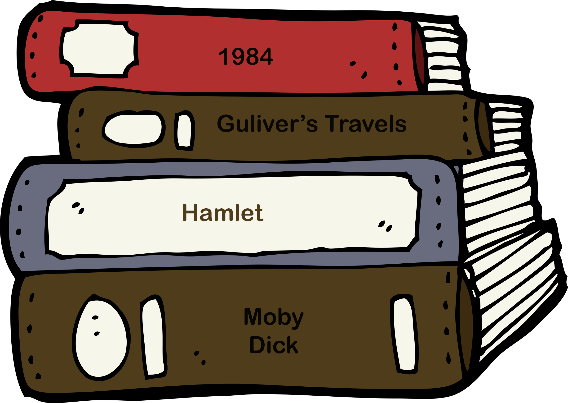
1984
Guliver’s Travels
Hamlet
Moby Dick
I add books by adding them to the top of the stack. If I want to remove a book, let’s say Guliver’s Travels, normally I would remove the first book, then remove the second book. In computer terms this is referred to “Last in, first out” or (LIFO)
So my book stack has two methods, add and remove. So, i…
No comments yet. Add the first comment to start the discussion.