
For Loops
In this lecture, we are going to discuss PowerShell For Loops.

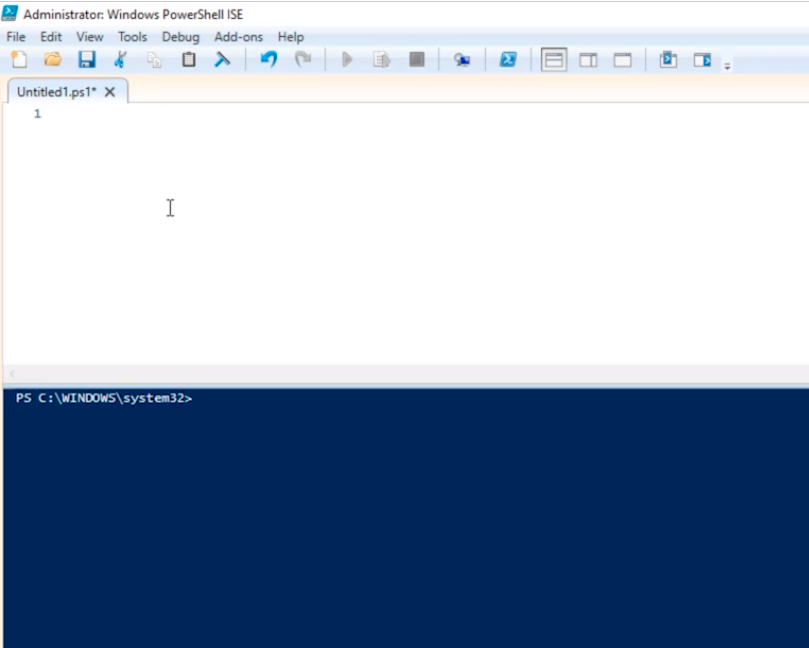
The first thing I am going to do is open the PowerShell ISE as an Administrator.
Let’s just define what a PowerShell Loop is. A For Loop allows you to repeat a section of code a specific number of times.
So, you are going to pass a command inside of this For Loop and is going to be repeated a specified number of times like 25 or you can specify 1,000 times or more if you wanted to.
So, the basic format or a For Loop is the following:
for () {
}
Inside of the Brackets we have the command we want to repeat.
Now, we need to specify the 3 elements that define this For Loop.
- Define the variable we want to use to count and its value
- What kind of condition we will use when we're counting
- Either increase or decrease the variable
If we write these in PowerShell syntax is going to look like this.
for ($i=0;$i -lt 5; $i++) {
echo “Im in a loop”
}
And If I execute the code in PowerShell ISE it is going to look like the following:
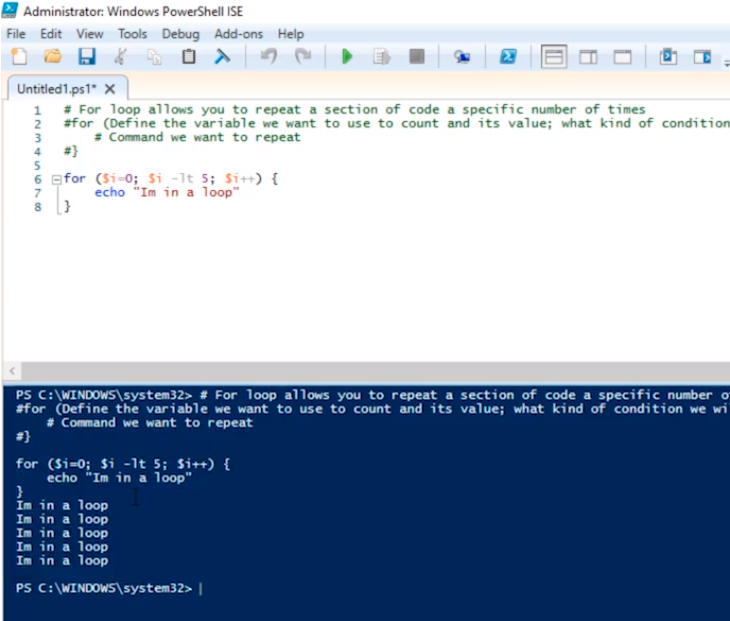
I get the “Im in a loop” five times.
Now, I can utilize the variable $i inside of the loop. Type the following and execute:
for ($i=0;$i -lt 5; $i++) {
echo “Im in a loop: $i”
}
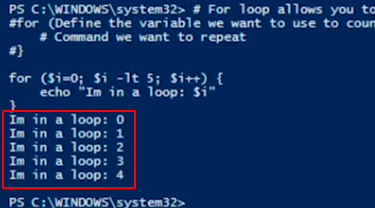
As you can see, we have the index output that is used as its counting. It starts at 0 and is counting all the way to 4 because 4 is the last number that is less than 5, the last integer number. So we actually get 5 elements but because we are counting from 0 we only count up to 4 for a total of 5 individual e…
No comments yet. Add the first comment to start the discussion.