
Send Emails from Gmail with PowerShell
In this lesson, you will be learning how to send emails from your Gmail account with Windows PowerShell.
There are several reasons why you may want to programmatically send emails with Windows PowerShell. For example, you may want to automatically email users when their Active Directory passwords are about to expire, or when their AD account locks out.
Note: This functionality is disabled in the online IT labs due to security reasons.
In order to send emails directly from your either personal or company Gmail account, we are going to need to allow access first. This means we need to allow “less secure apps” to authenticate.
A less secure app is basically anything that simply uses a username and password rather than something that uses OAuth tokens. In the security world, this is a very bad practice… but for the simplicity of this tutorial, I am going to do it anyway.
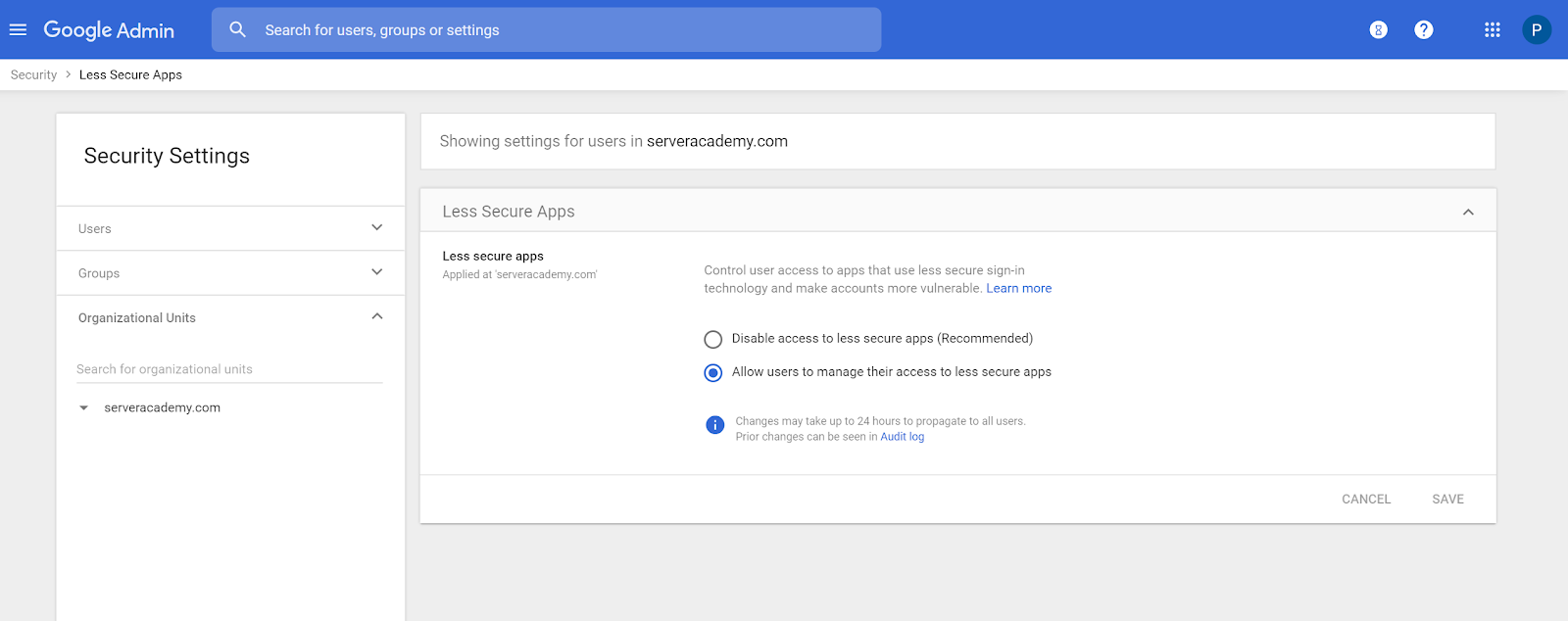
I went to my GSuite admin panel and allowed users to manage their less secure apps: https://admin.google.com/u/1/ac/security/lsa?hl=en
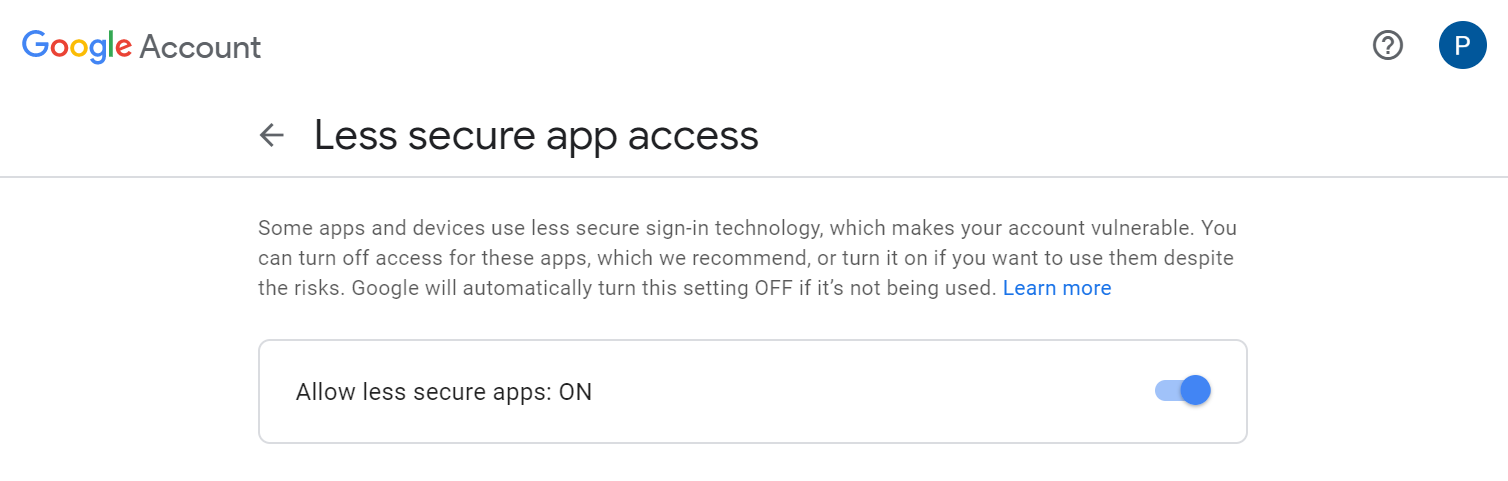
Next, I logged into the target account I wanted to send the emails from and enabled “Allow less secure apps”: https://myaccount.google.com/lesssecureapps
Now we can send emails programmatically from windows PowerShell with the function below:
- function Send-Email() {
-
param( -
[Parameter(mandatory=$true)][string]$To, -
[Parameter(mandatory=$true)][string]$Subject, -
[Parameter(mandatory=$true)][string]$Body -
) -
$username = (Get-Content -Path 'C:\\Users\\Paul Hill\\credentials.txt')[0] -
$password = (Get-Content -Path 'C:\\Users\\Paul Hill\\credentials.txt')[1] -
$secstr = New-Object -TypeName System.Security.SecureString
11.…
No comments yet. Add the first comment to start the discussion.