
Configuring Our ITFROUTE01 Server to act as a Router
In this lesson we are going to configure our routing server to pass traffic between our two separated networks, 192.168.1.0/24 and 10.0.0.0/24.
In this lab, the server SAROUTE01 is already connected to both networks with two ethernet adapters and their IP addresses have already been configured:
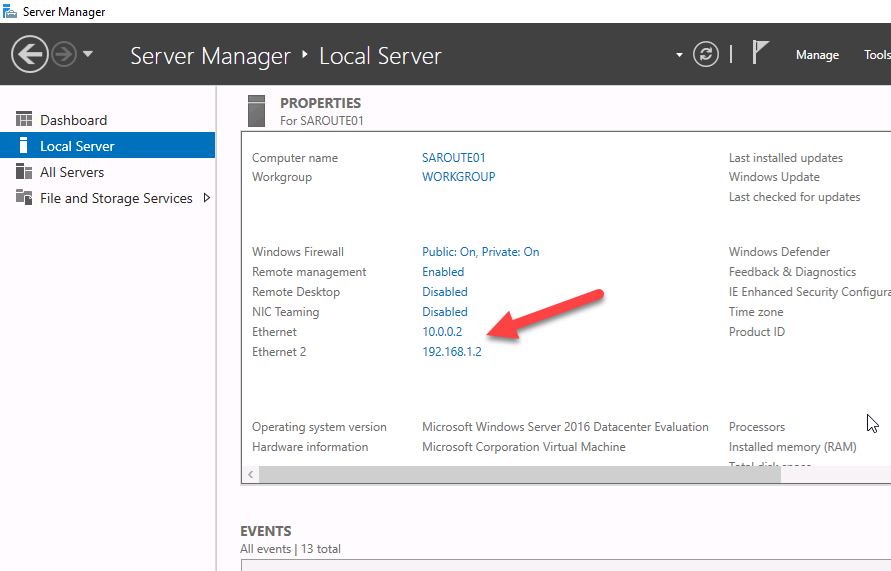
The computer isn’t joined to the domain and doesn’t really need to be for this specific lecture. The important thing is that this single server can communicate with both SADC01 and SADC02 because it has one network adapter connected to each of the networks.
Next we need to add the Remote Access server role. From inside Server Manager, select Manage > Add Roles and Features:
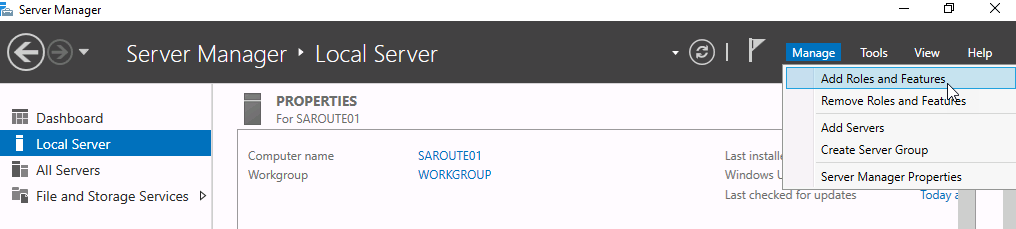
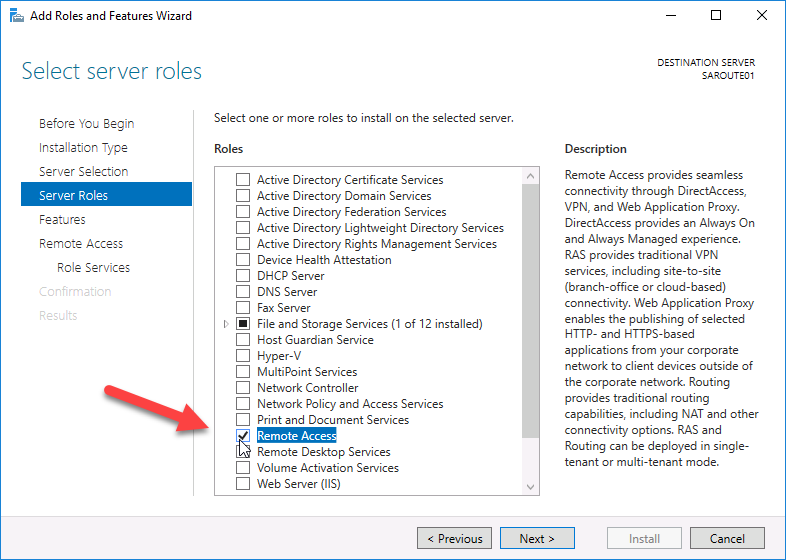
From there continue until you get to the Server Roles page, then select “Remote Access”:
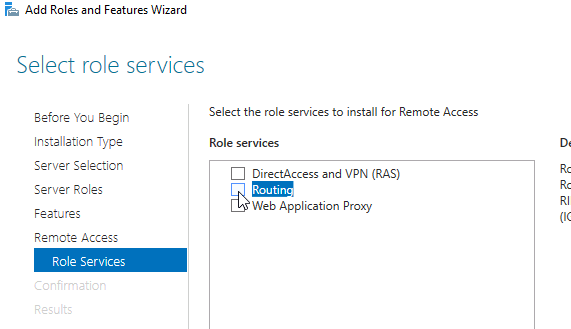
Click Next > until you get to the Role Services page for Remote Access. Here we want to click the checkbox for Routing:
This will pop up a window for adding its related features. Click Add Features to continue:
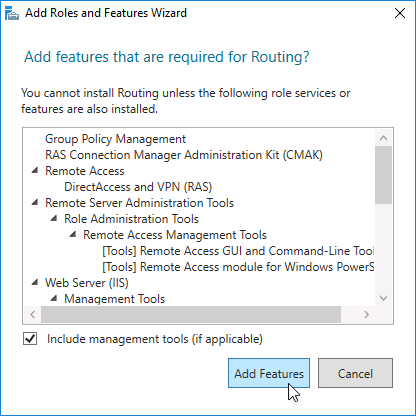
You will notice that it now adds Web Server Role (IIS) on the left. We can just use the default settings for the IIS role services so just go ahead and click next until you get to the confirmation screen.
On the Confirmation screen, click Install:
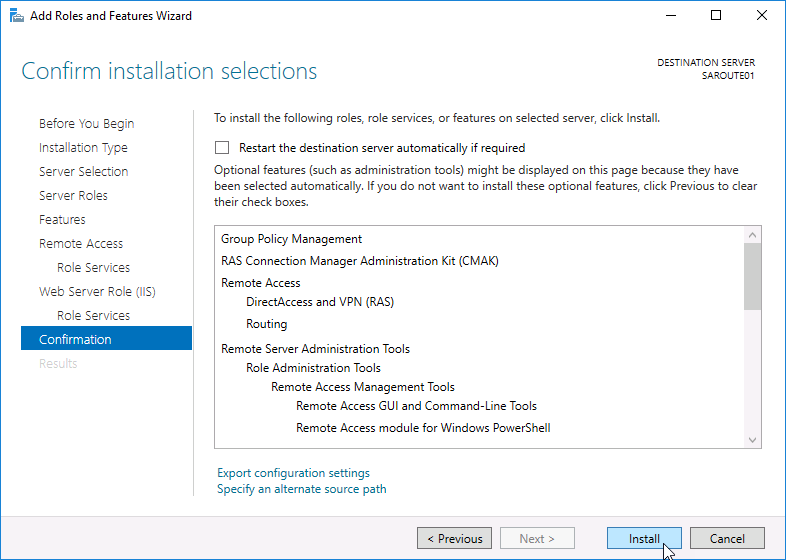
Close the wizard and wait for the installation to complete. Now we need to configure our server ro…
No comments yet. Add the first comment to start the discussion.