
Configuring Active Directory Sites and Services
In this lecture, we are going to be working in Active Directory Sites and Services.
First thing we are going to do is rename our Primary Site, then we are going to create a New Site for ITFDC02 subnet, and we are going to move the server to the New Site. We are going to create a subnet, and we are going to create or rename our Site Link that we are using that is created by default.
Login to ITFDC01 and on Server Manager > Tools > Active Directory Sites and Services.

Active Directory Sites and Services console open with the default options when you build a new Domain using Active Directory Domain Services.
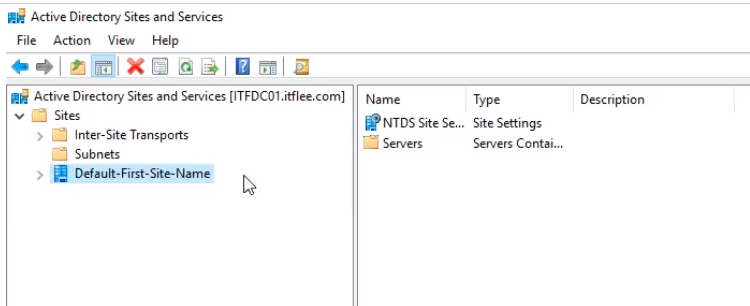
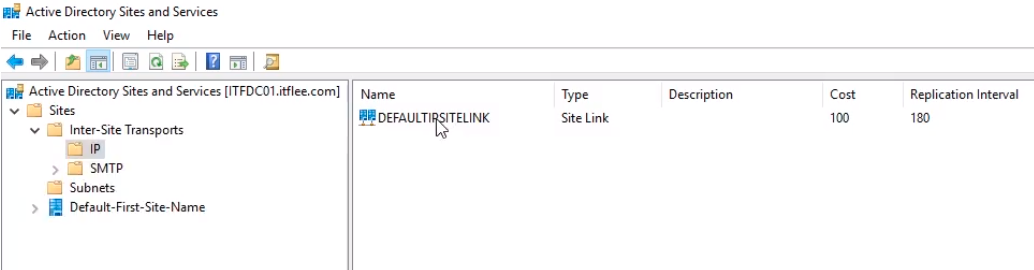
The first folder under Sites, Inter-Site Transports are basically our Site Links. This is how we connect our sites together. So we have an IP and SMTP folder.
Most of the time we are going to use the IP. SMTP is only used when there’s no physical line connecting you to networks. This literally means you can replicate Active Directory Sites and Services with SMTP over email. It is important that you realize that it is not replicating the actual domain controller SYSVOLume and things like that it is just replicating Active Directory Sites and Services.
Under SMTP there will be no information.
Under Subnets will not be listed any information.
Under Default First Site Name if we expand it we see a Server folder we have our Domain Controllers ITFDC01 and ITFDC02 listed.
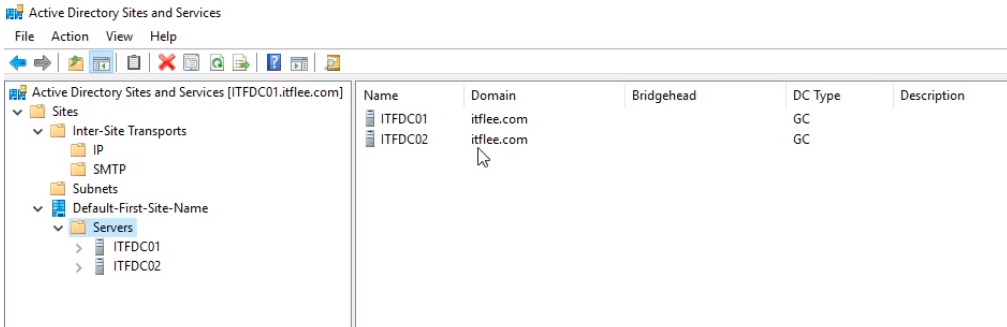
Remember that we’ve put ITFDC02 in a different subnet, so we are pretending this server is in a different location.
First thing we want to do i…
No comments yet. Add the first comment to start the discussion.