
Creating an Active Directory / System State Backup
In this lecture, you will learn how you can use Windows Server Backup to safely backup your Active Directory data. Having and maintaining Active Directory backups is a critical aspect of administration of your network.
It's very important that you take proper backups and you understand how to restore those backups should a catastrophic failure occur.
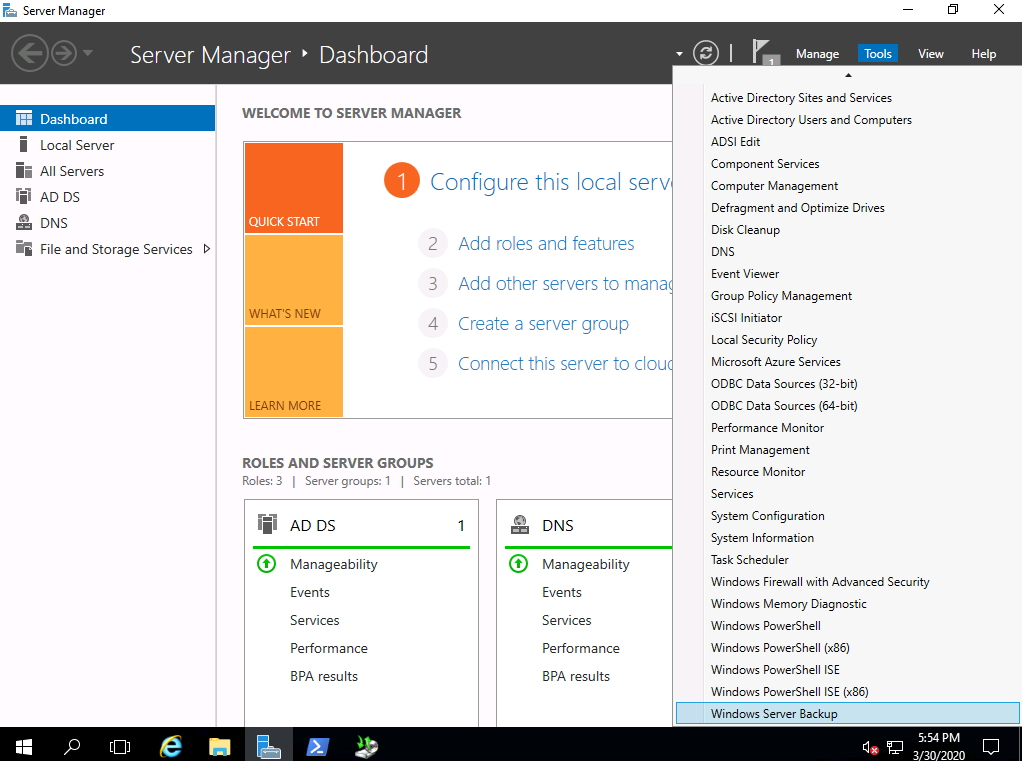
To get started you need to open the Windows Backup console by selecting Tools > Windows Server Backup:
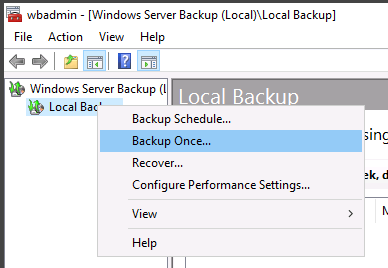
Select Local Backup > Backup Once...
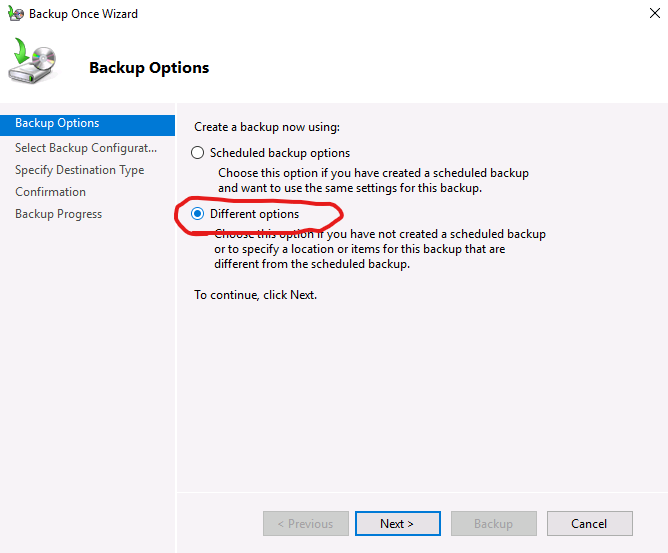
Select Different options then click next:
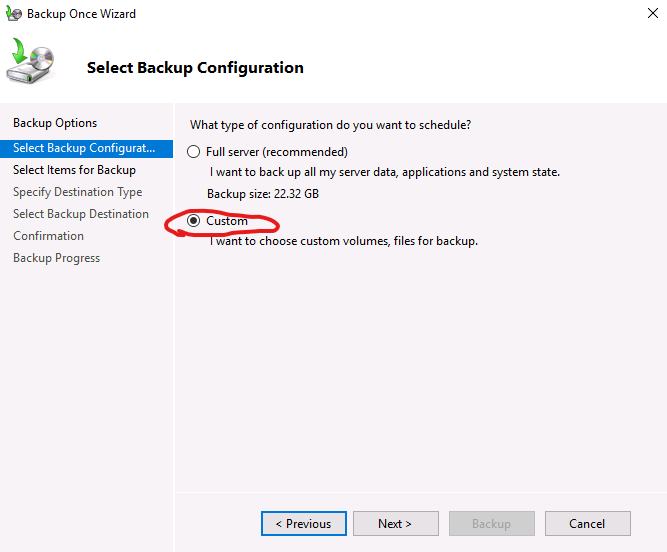
Click Next, then click Custom:
Click Add Items
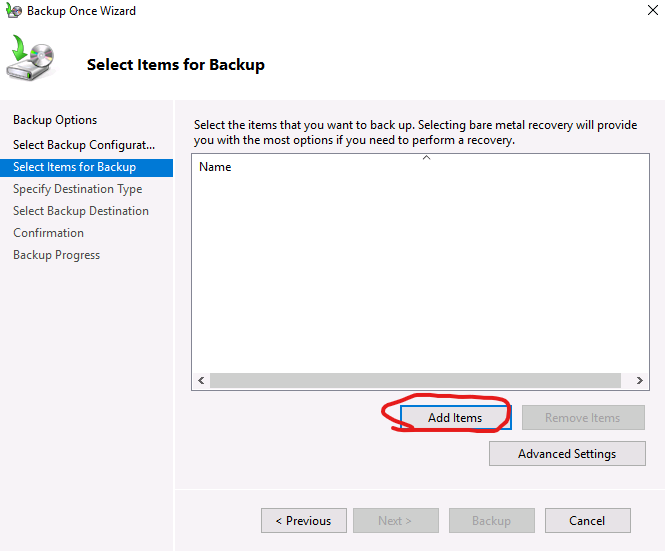
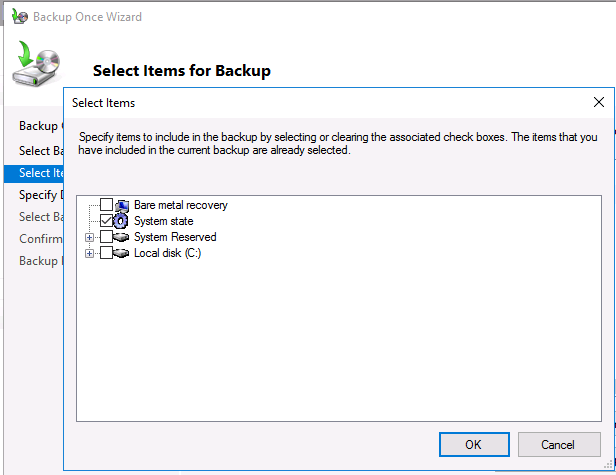
Select System State and click OK.
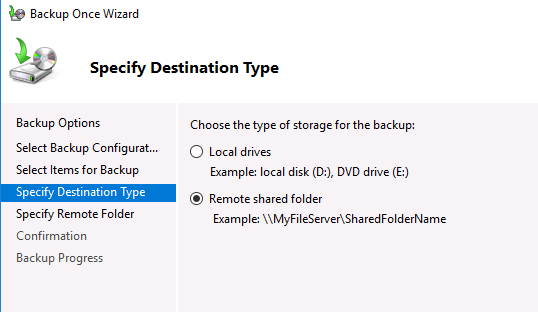
Specify the destination and click Next.
I am going to specify my backup location and leave the rest at default:
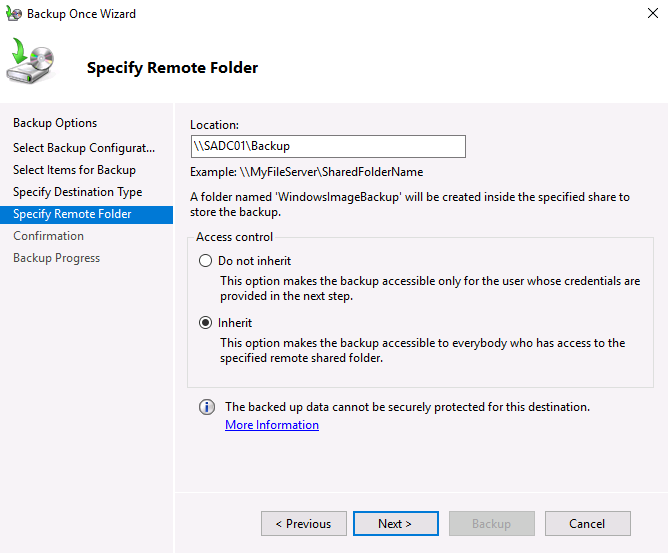
Click Next, then click Backup.
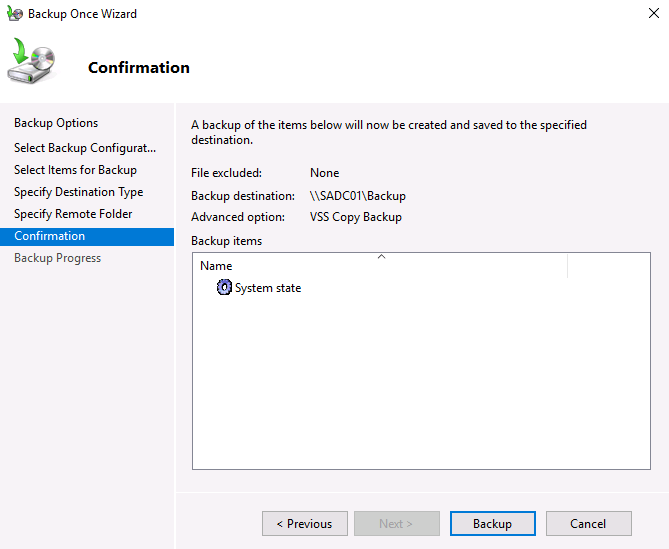
Now we just need to wait for the backup to complete. This is generally not a fast process so you will need to wait a little while before its done:
![](https://zrftqtvkikjkbtkfalgp.supabase.co/storage/v1/object/public/lesson-…
No comments yet. Add the first comment to start the discussion.