
Transferring FSMO (Flexible Single Master Operations) Roles
In this lecture you are going to learn how to transfer FSMO roles between Domain Controllers. Please keep in mind that if you are using your work environment or network - you should NOT transfer FSMO roles unless you have a specific reason to do so. Only practice transferring FSMO roles when you are using your own lab environment or the ServerAcademy.com online IT labs.
Let’s start by transferring the Schema Master FSMO role to SADC02. To get started, log in to DC02, click the start button and search for and launch “regsvr32 schmmgmt.dll”
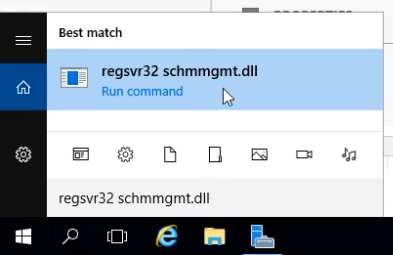
Once you run that command you should see the following popup:
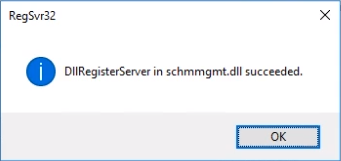
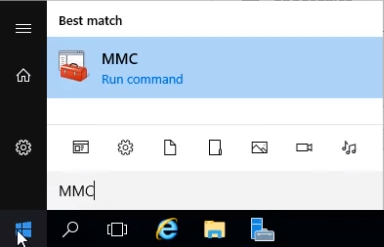
This allows us to add the Active Directory Schema snapin to the MMC console. Next click Start and launch MMC:
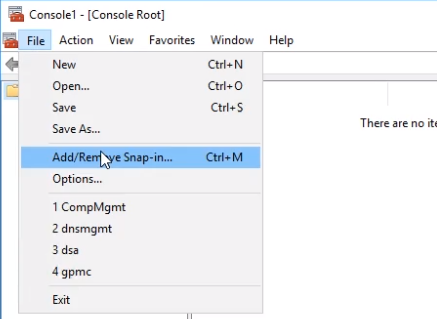
Select File > Add/Remove Snap-in...
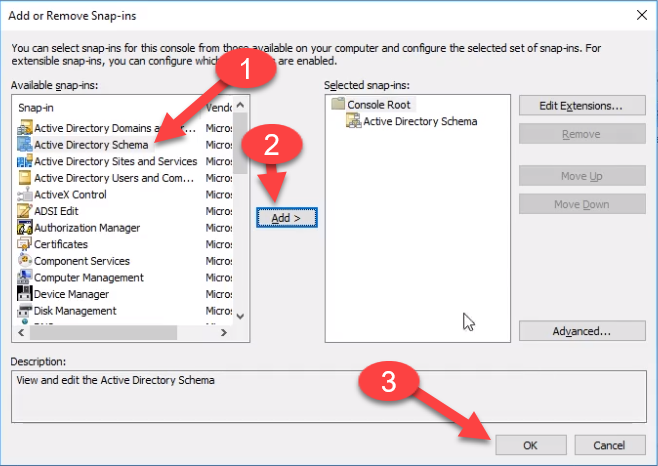
Next add the Active Directory Schema and click OK:
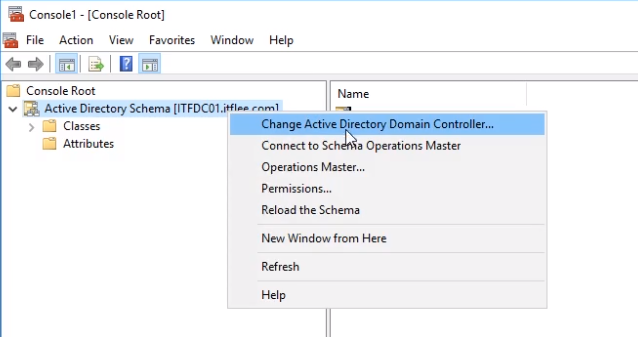
Right-click Active Directory Schema and select Change Active Directory Domain Controller:
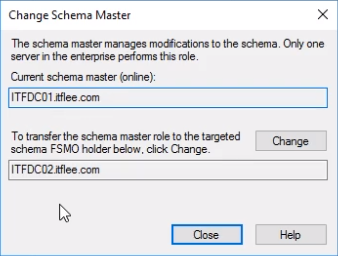
To change the Schema Master to DC02, you can click Change.
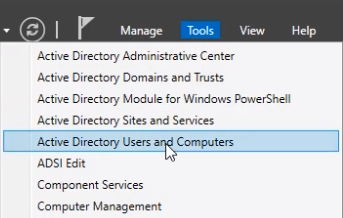
Go ahead and close the window. Now click Tools > Active Directory Users and Computers:
Right-click your domain and select Operation Masters:
![](…
No comments yet. Add the first comment to start the discussion.