
Volumes and Partitions
In this lecture, you are going to learn about Volumes and Partitions.
First, let’s talk about Creating a Volume on a Disk.
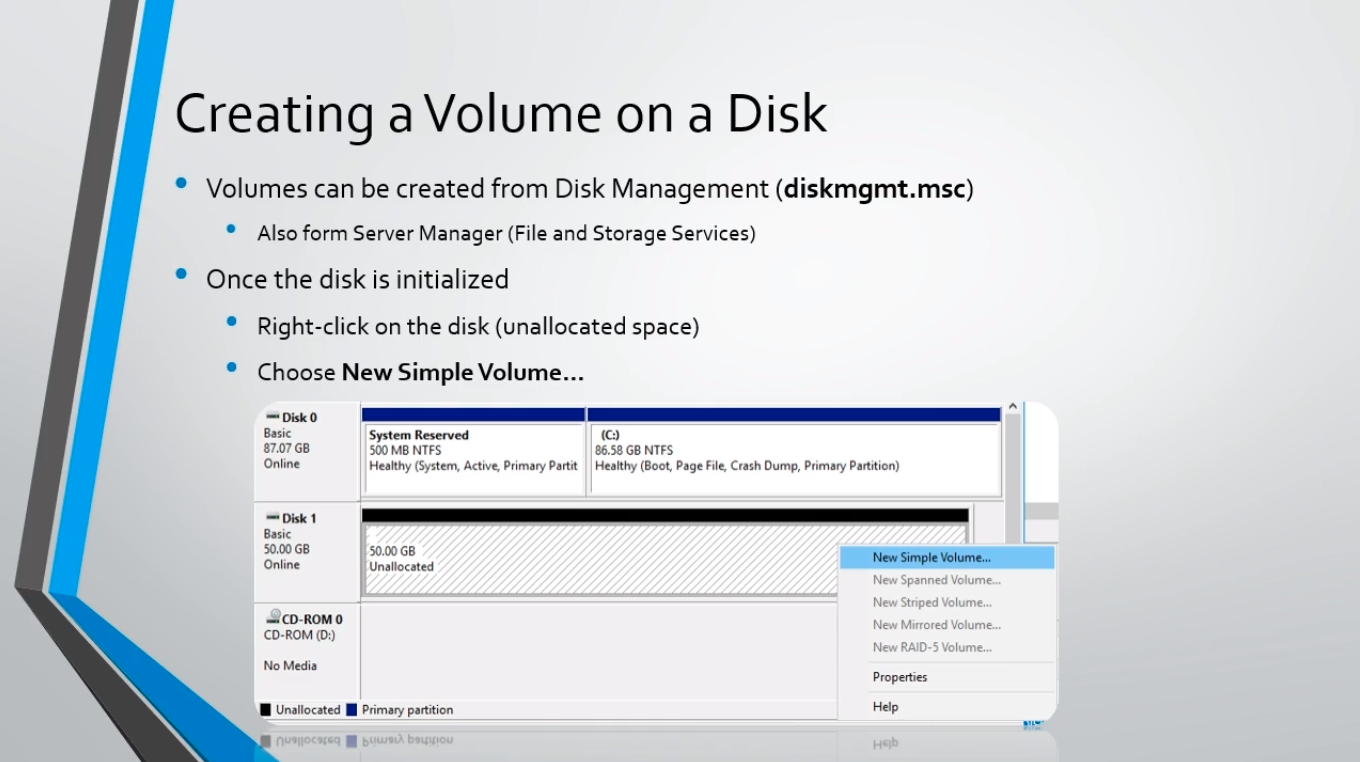
Now, this is going to be done with the diskmgmt.msc utility, just like when you are initializing the disk. It can also be done from Server Manager inside of the File and Storage Services tab.
Now, once the disk has been initialized we are going to right-click on the disk or any unallocated space, and we are going to choose New Simple Volume. There are different types of volumes you can create, but we are not going to cover all of those in this lecture, just keep it simple and stick to the Simple Volume.
Now, let’s first talk about what is a Volume?
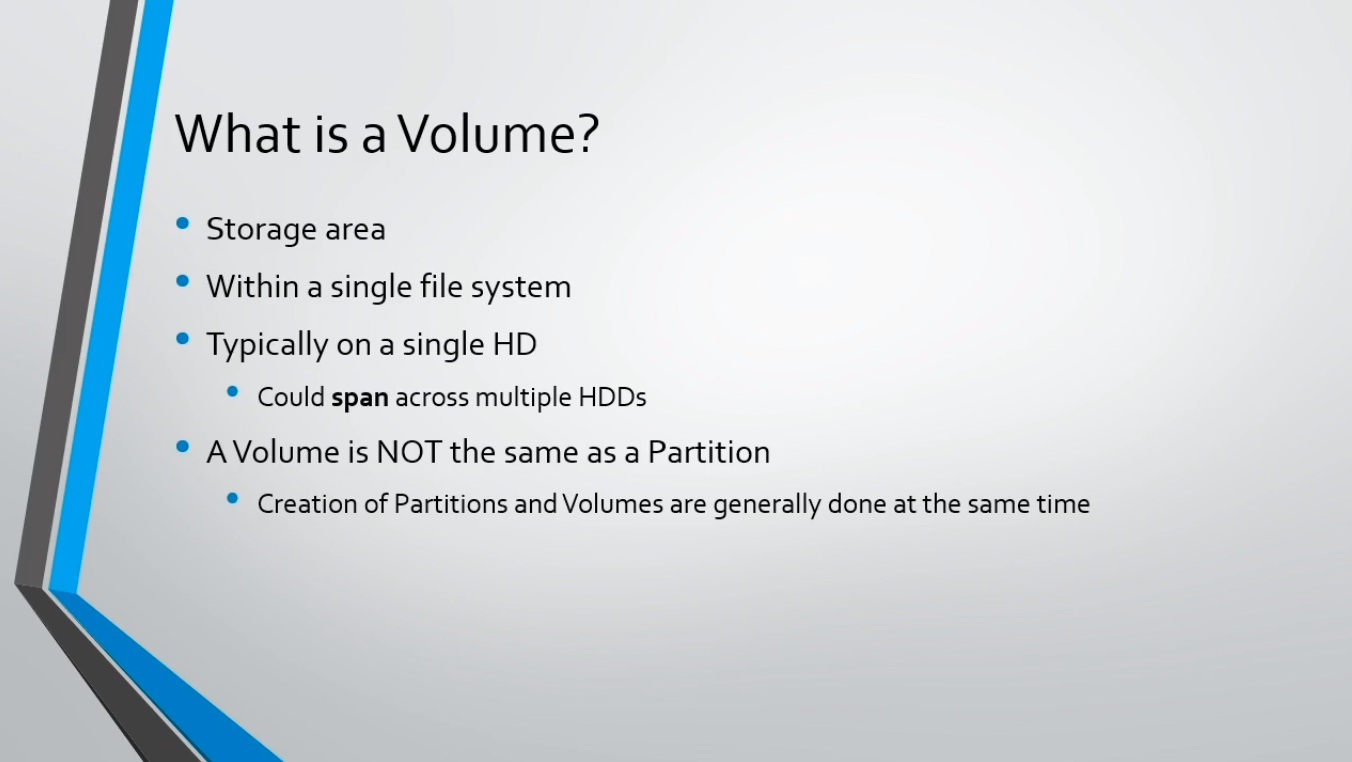
Well, it is a storage area within a single file system, and it typically resides on a single hard disk drive, although you can span one Volume across multiple hard disk drives.
Now, a Volume is not the same as a Partition. I want to explain the differences because this can be confusing to some of my students. So, even though a Volume is not the same as a Partition, the creation of a Partition and Volume is generally done at the same time.
Now, let’s talk about how a Volume is different than a Partition?
First, a Volume is a storage area that can be accessed from one file system, and it could span multiple hard disk drives or it can be on a single hard disk drive, and this does exclude the operating system drive.
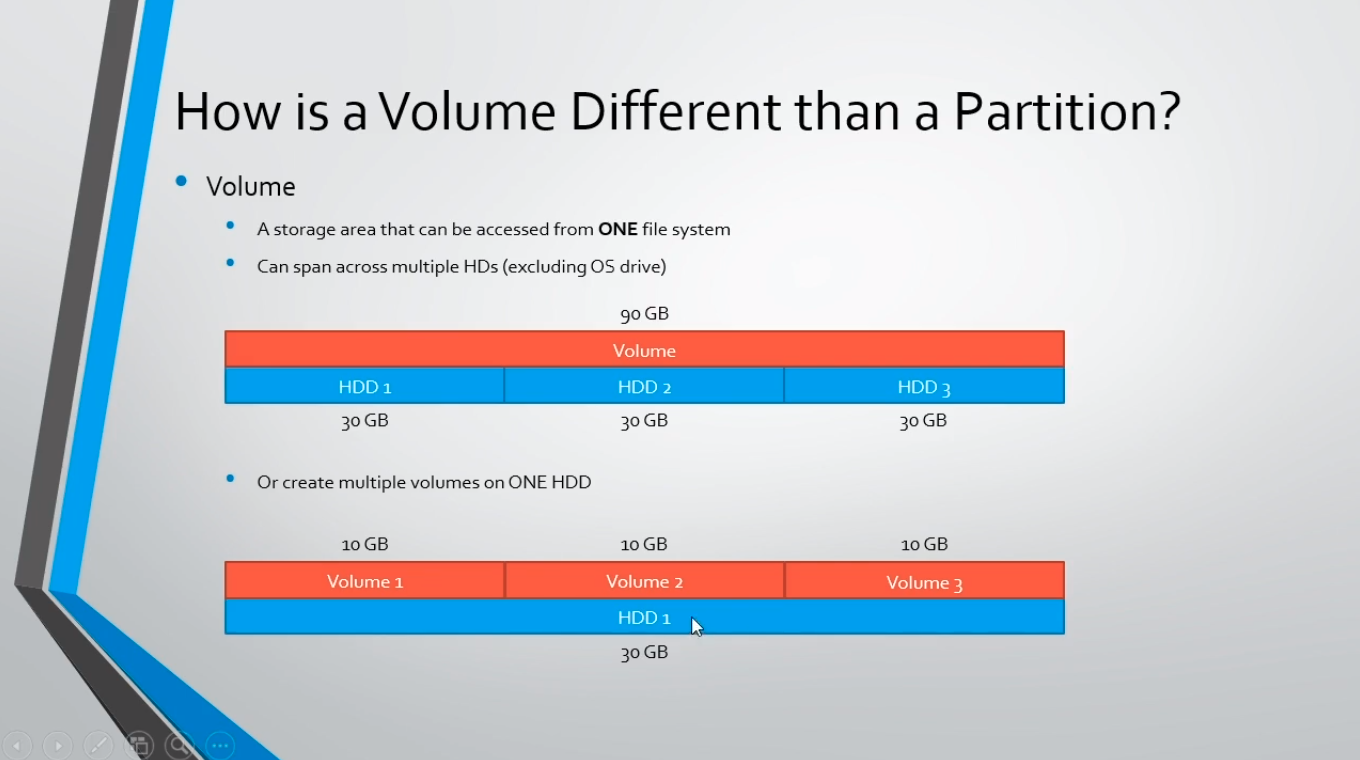
You can not span across multiple hard disk drives if one of those hard disk drives is an operating system drive, and that’s because to cr…
No comments yet. Add the first comment to start the discussion.