
Creating Scheduled Backups
In this lesson, we will be creating Scheduled backups with the Windows Server Backup feature.
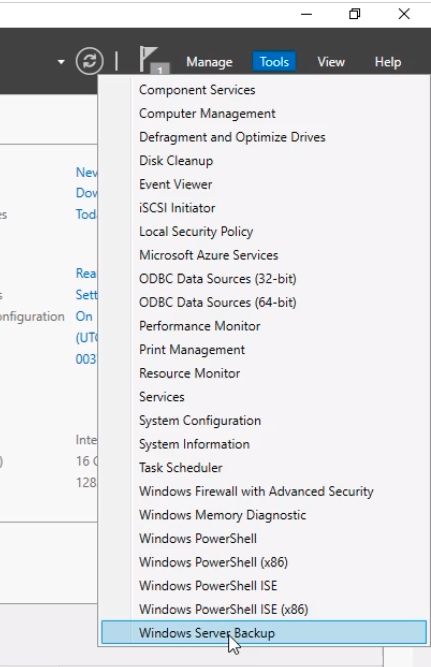
Log into the DE01 server and open the Windows Server Backup Console by selecting Tools and the Windows Server Backup from Server Manager.
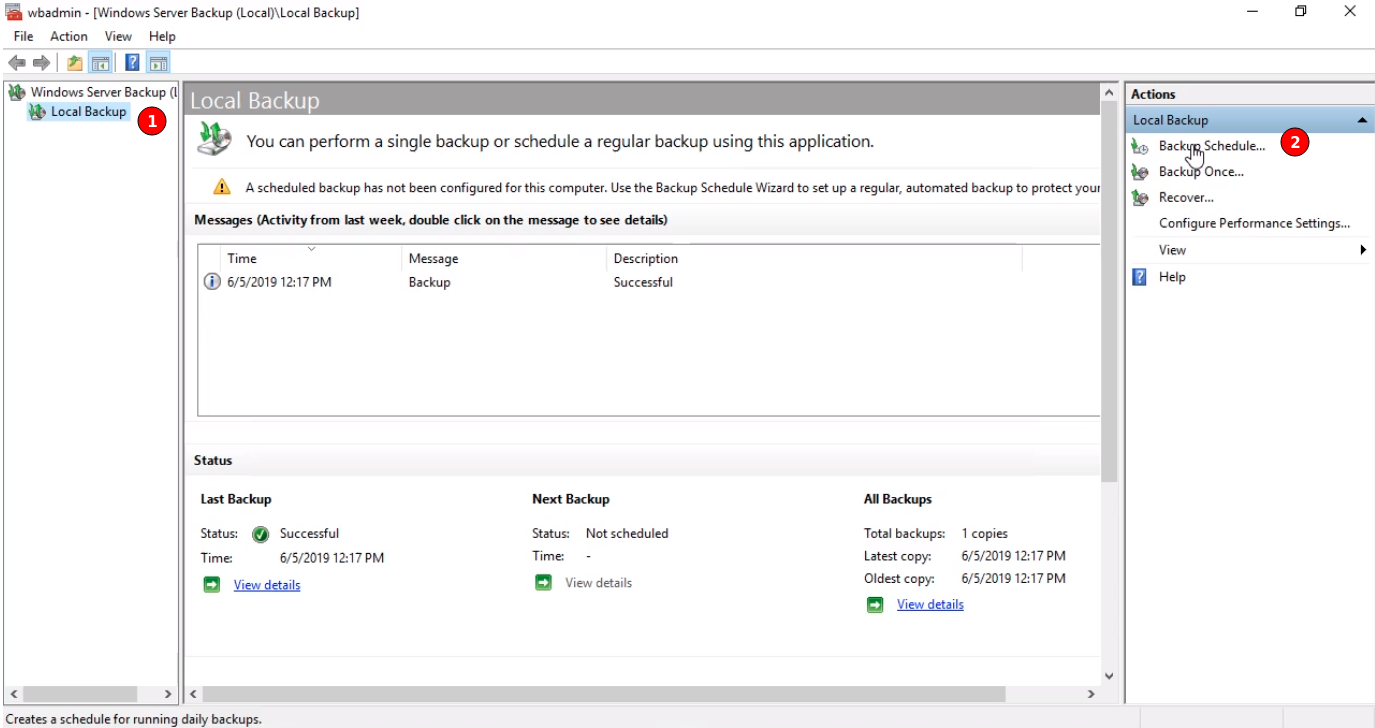
Next, from the Windows Server Backup console click on the left pane on Local Backup (1), and to the right under Actions select Backup Schedule (2).
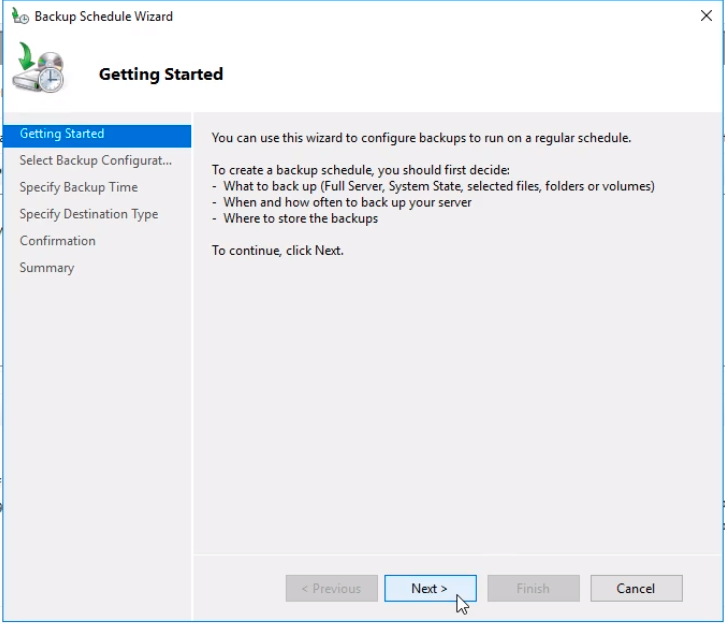
The Backup Schedule Wizard starts so we click on the Next button.
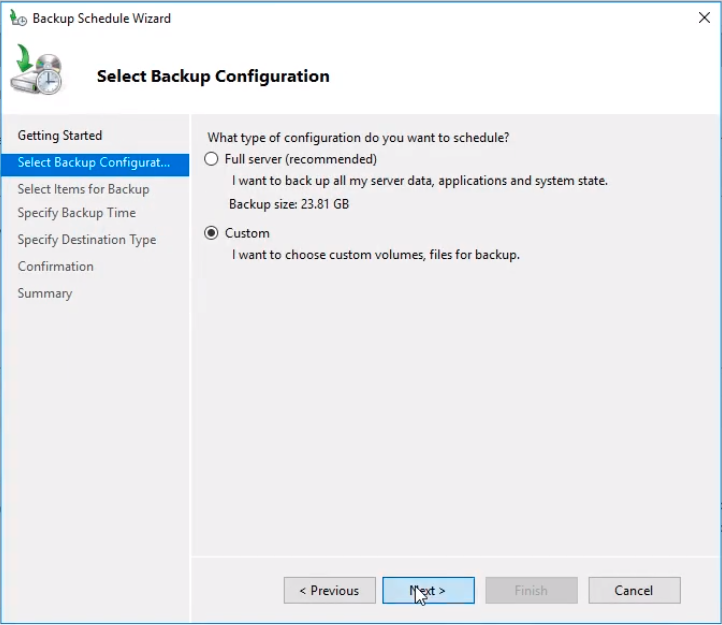
From the next window select this time Custom radio button and click Next.
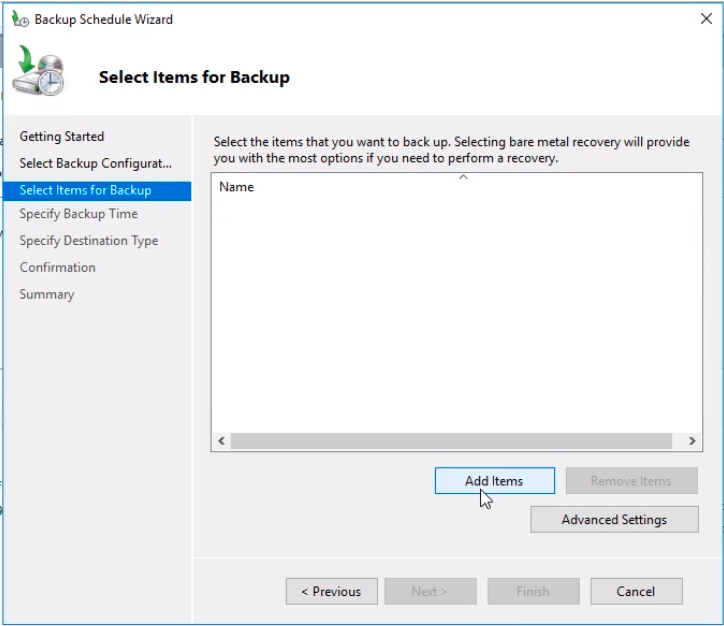
On the Select items for Backup window click the Add Items button to choose exactly what we want to backup.
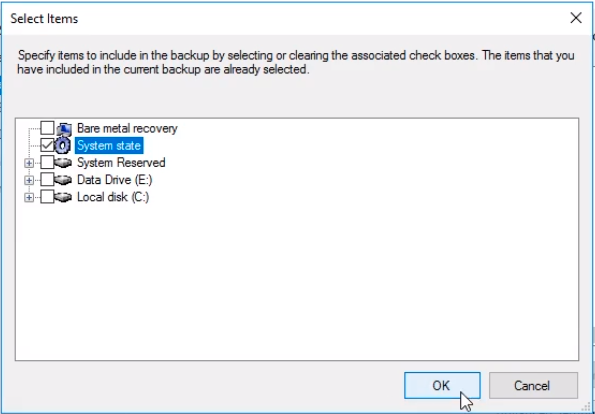
From the Select Items window select System State and click OK.
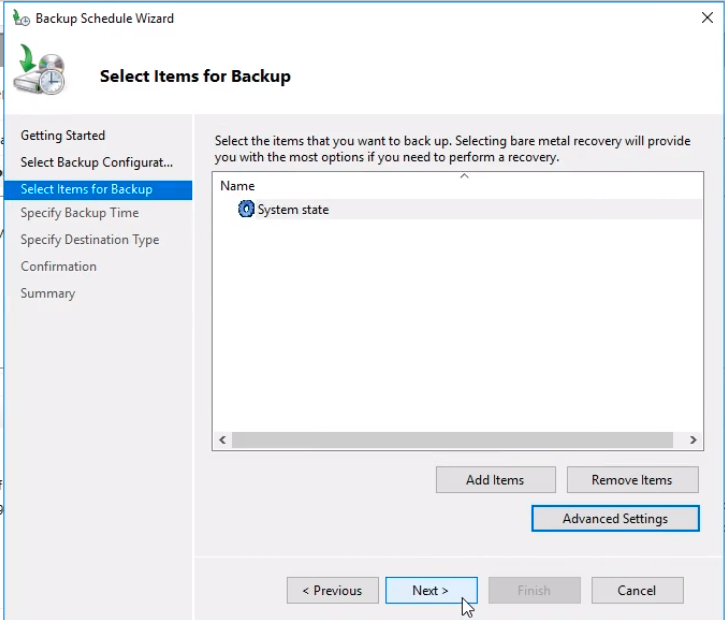
And click Next to continue the wizard.
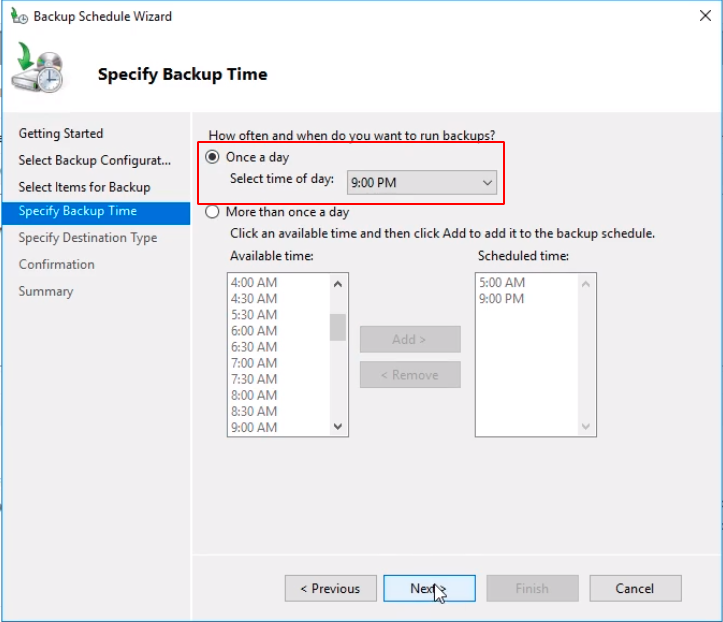
From the Specify Backup Time window, we can choose the times needed for the backup to execute. We choose the Once a day radio button at 9:00 PM. Click Next.
Now, we need to Specify a Destination type. Choose Backup to a shared network folder and click Next to use the same folder be used before on the One-Time Backup lesson.
No comments yet. Add the first comment to start the discussion.