
Windows 2016 Server and DNS Zone Delegation
In this lecture, we will demonstrate the use of DNS delegation in a Windows 2016 server environment.
You have just been hired by a company in the U.S. to evaluate and fix the network issues of a multinational marketing company called Global Marketing.** **
Steve the CEO has requested that you present your solutions to management.
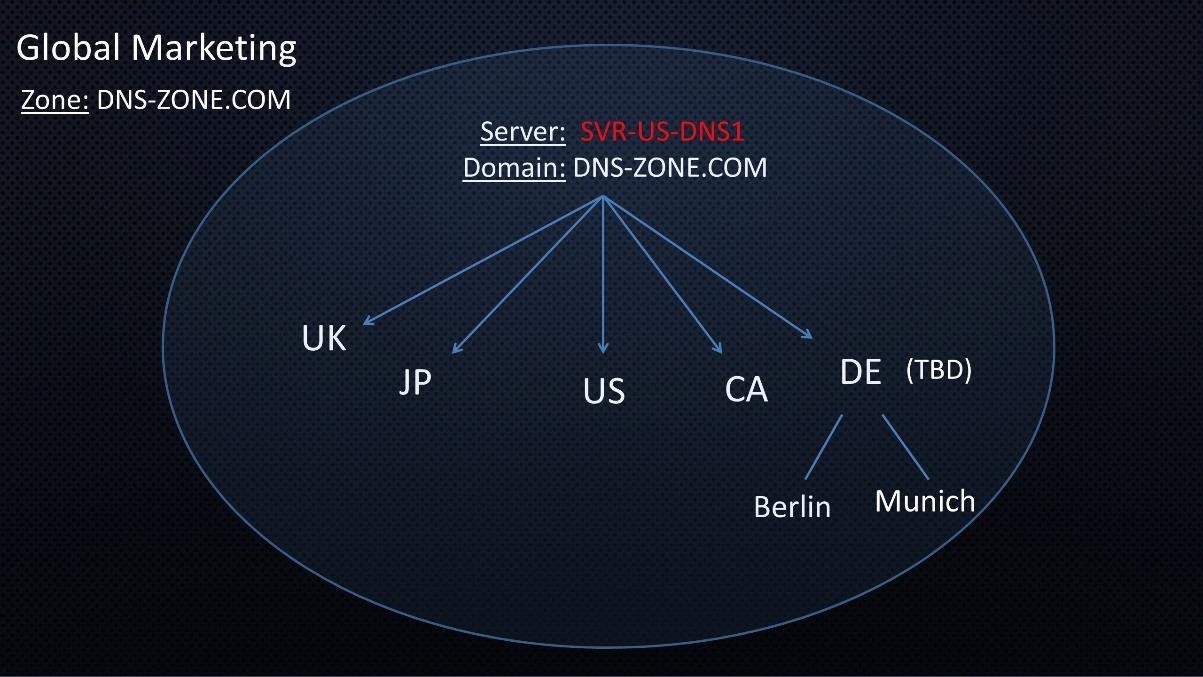
**You make a short list of problems that you have discovered: **
- All the Domains are hosted on one server – SVR-US-DNS1.
- All the records from all the sites in the organization are stored on one server, SVRUS-DNS1
- Network bandwidth is extremely limited due to all the queries coming to one server, which continually crashes.
- Germany, (DE) including two cities was will be coming on line shortly. The original plan was to add DE to the current domain DNS-ZONE.COM
Considering that the folks in management are not technically minded you plan to present your solutions in terms that they will understand.
- Just as Steve the CEO of the company has delegated control of the company’s five different locations to five different people, we are proposing that we will split up or delegate administrative control to servers strategically placed within each location of the company.
- In this slide if a request for information comes in to the US site for the site in Germany, the DNS server in the US would pass that request onto the DNS server at the DE site.
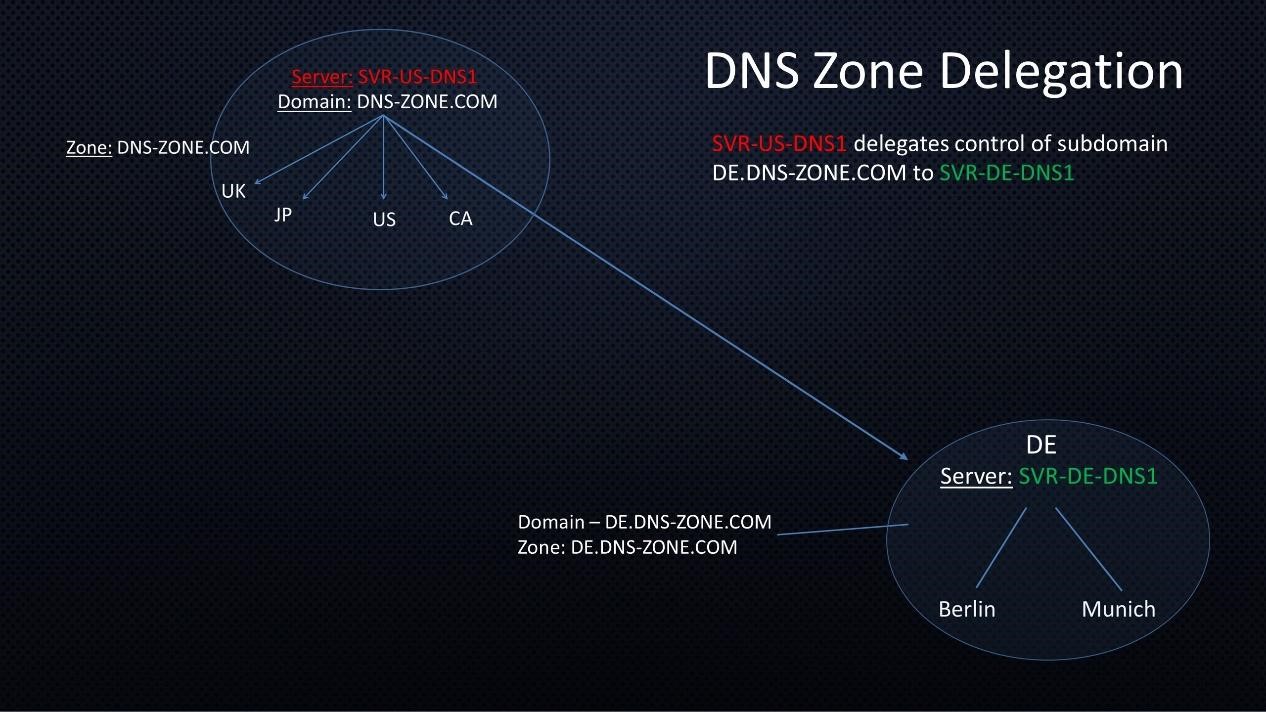
**With this strategy, we will accomplish the following: **
- Delegate administrative authority. Instead of the IT group in the US handling all the requests for Germany. The IT group in Germany will take administrative control of their own namespace.
- Improved Performance – Instead of one server handling all the DNS requests, any tra…
No comments yet. Add the first comment to start the discussion.