
DNS Zones
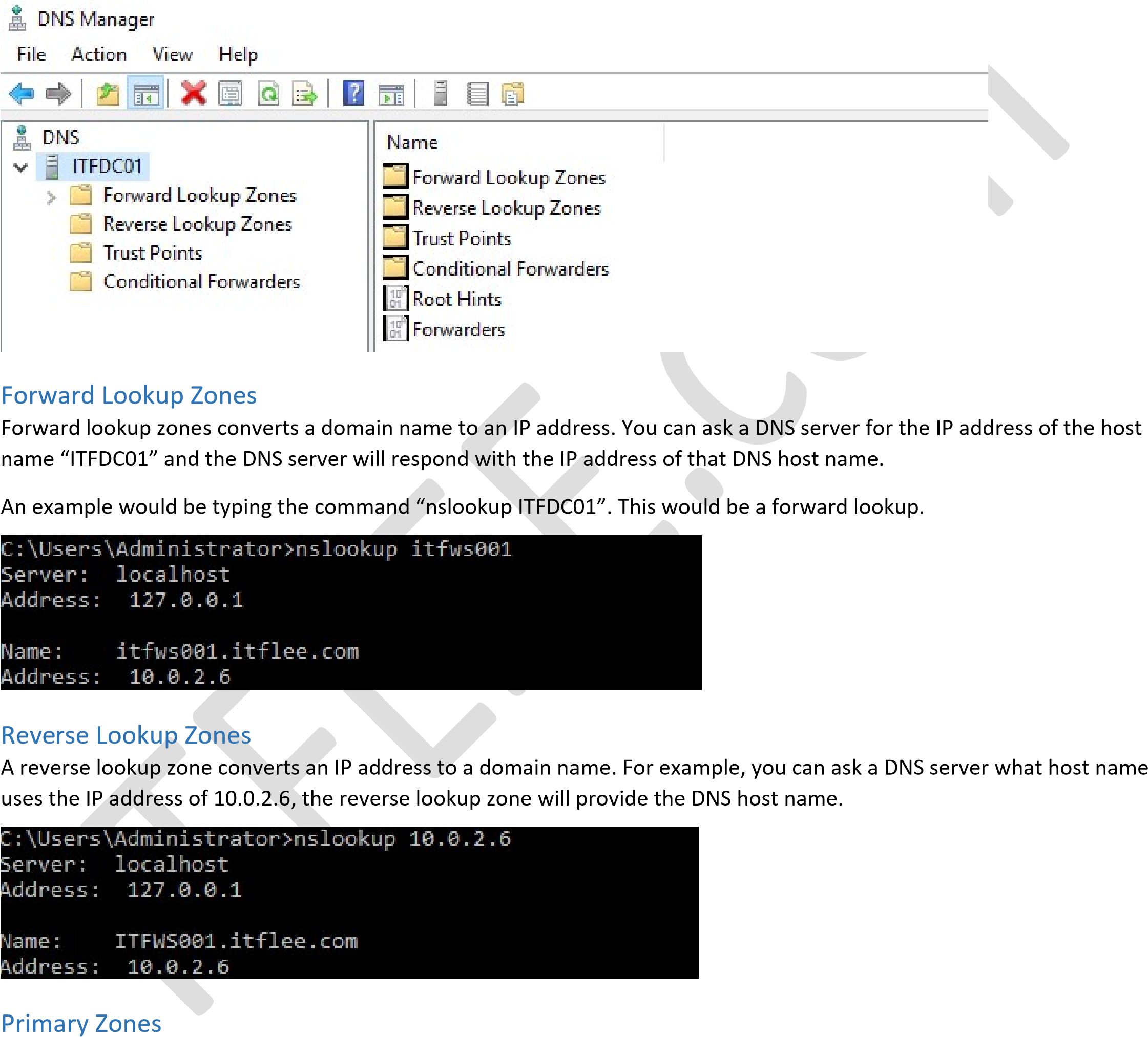
A DNS zone is a is a collection of DNS resource records (like itflee.com and its associated IP address). There are two main types of DNS zones; forward and reverse lookup zones. Forward lookup zones are the most common, and translates host names to IP addresses. A reverse lookup zone does the exact opposite in that it translates an IP address to a host name.
A primary zone is a DNS zone that this DNS server is the primary source of information. By default, the data for this zone is stored in a local file named zone_name.dns and is located in the %windir%\System32\Dns directory. The file may also be stored in Active Directory if this DNS server is also a write-able Domain Controller.
There are several benefits and reasons why you would want to store a primary zone in Active Directory. Since the zone is stored in AD, the zone can be replicated using AD replication process and AD’s security features.It is also worth mentioning that a primary zone is the only zone type that can be directly edited or updated.
Secondary Zones
A secondary zone is a read-only replica of a primary DNS zone that is hosted on another remote DNS server. This obviously means that your DNS server must have network access to the remote DNS server in order to gather the information. This DNS zone is not stored in AD DS because it is a mere read-only copy of the DNS zone.
If you try to make a change in a secondary DNS zone, the change request will be passed on to the server which holds the primary zone. If the server is available, the change will be made.
The purpose of a secondary DNS zone comes down to redundancy. If the server hosting the primary copy is unavailable, this server will be available for use by clients in its place. One of the issues with a secondary DNS zone is that each record held within this zone must be replicated from another serv…
No comments yet. Add the first comment to start the discussion.