
DNS Console Overview
**Purpose: **
**The purpose of this video is to familiarize you with the various components of the DNS console manager. Specific details on the functionality of each component will be given in future videos. **
You may start the DNS manager from Server Manager by selecting Tools > DNS.
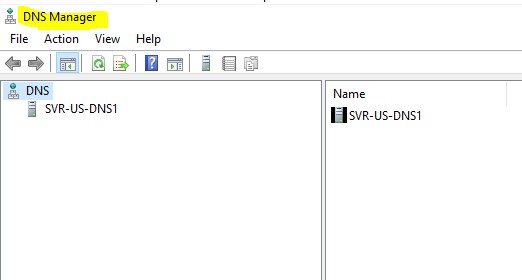
Slide 1 The DNS Manager will appear. This manager allows you to manage this DNS server as well as a remote DNS server.
**Slide 2 **Connect to a DNS server. Right-click on DNS, select Connect to DNS server.
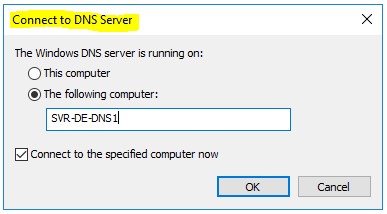
I will type SVR-DE-DNS1, which is my other DNS server on the network.
Slide 3 The DNS information from SVR-DE-DNS1 has been added to the
SVR-US-DNS1 console. From here I can configure the US or the DE server
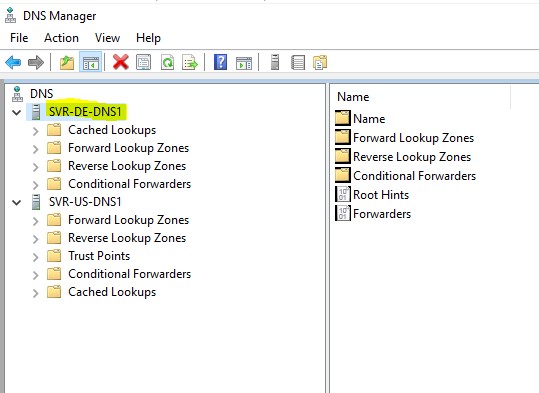
Right-click on SVR-DE-DNS1 and delete the information from this console. Left-click on the server name the following is displayed:
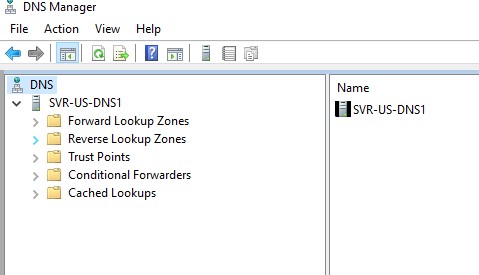
Forward Lookup Zones – Most common type of Zone, DNS clients use this zone to provide mapping from host names to IP addresses.
Reverse Lookup Zone \- DNS clients use this zone provide mapping from IP addresses to host names.
Trust Points \- A trust anchor (or trust “point”) is a public cryptographic key for a signed zone.
Conditional Forwarders \- A DNS server that forwards all the queries it receives based upon the name designated in the query, to the IP address of a specific DNS server or servers.
**Root Hints file – **If your network is connected to the internet this file contains DNS root server mapping records, for DNS servers that are l…
No comments yet. Add the first comment to start the discussion.