
Deploying Fine Grained Password Policies (PSOs)
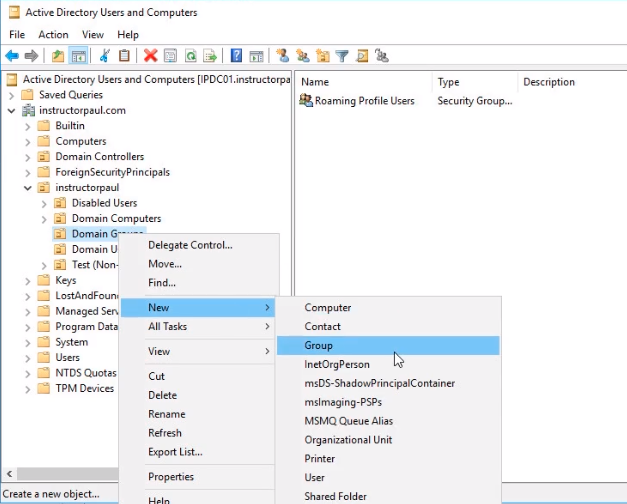
In this lecture, I am going to be showing you how to create a PSO or Password Settings Object. The purpose is to allow you to set a password policy on a per-user or per security user group basis.Open Server Manager > Tools > Active Directory Users and Computers. Expand instructorpaul.com domain and instructorpaul OU. Right-click on Domain Groups and choose New > Group from the context menu.
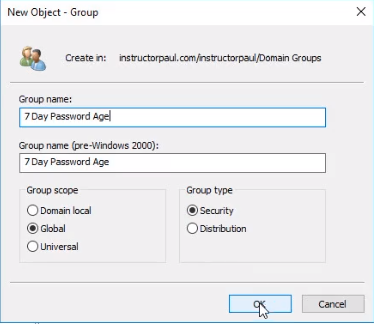
We are naming this group to something that gives us an indication that is related to a password policy setting. We are naming it 7 Day Password Age for our exercise. It is a Global Group and a Security Group. Click OK to create it.
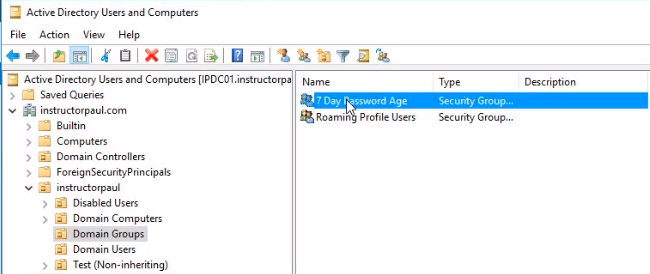
Double click the group we just created and add the user paul.hill as a member.
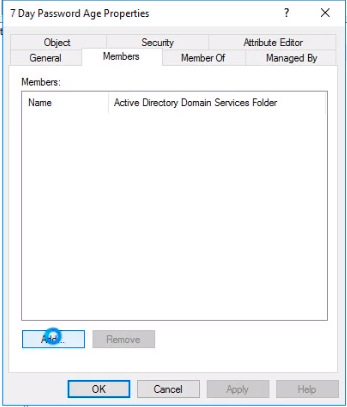
Click the Members tab and click the Add button.
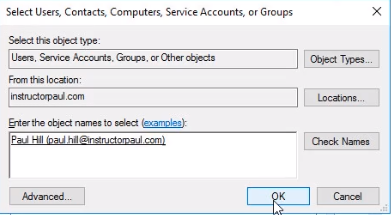
Search for paul.hill and click the Check Names button to resolve the name and click OK.
Click the Apply and OK buttons.
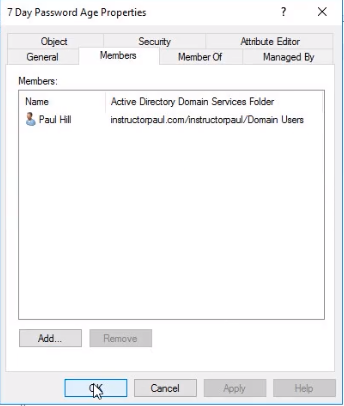
Essentially what we have done is create a new group and add a user to it. The Security Group has a name that’s useful for letting us know that the password age is only 7 days, but it really doesn’t do anything to that effect.
So the way we create a PSO is NOT inside Active Directory and is NOT inside Group Policy. The way you do this is with the ADSI Edit.Open Server Manager > Tools > ADSI Edit. Under ADSI Edit right-click ADSI Edit and choose Conn…
No comments yet. Add the first comment to start the discussion.