
Configuring Roaming Profiles for User Accounts
In this lecture, we are going to be setting the shared folder for our Roaming Profile set up that we will have going on in Active Directory.
We have seen how to create a shared folder with File Explorer so this time let’s do it with Server Manager.
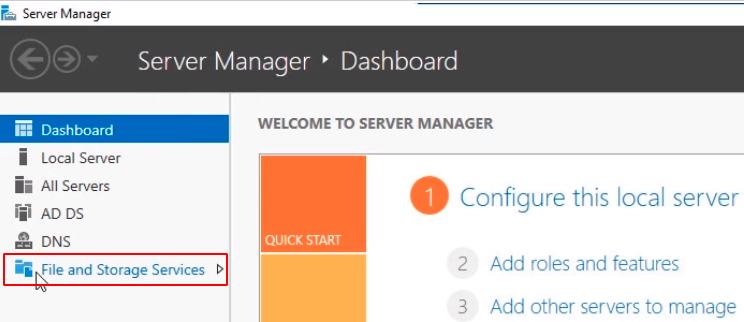
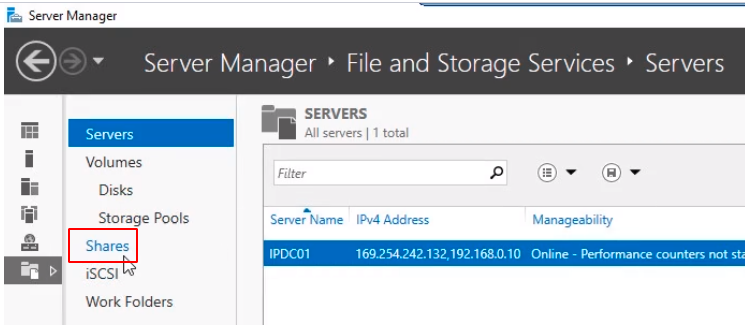
Click on File and Storage Services and then select Shares.
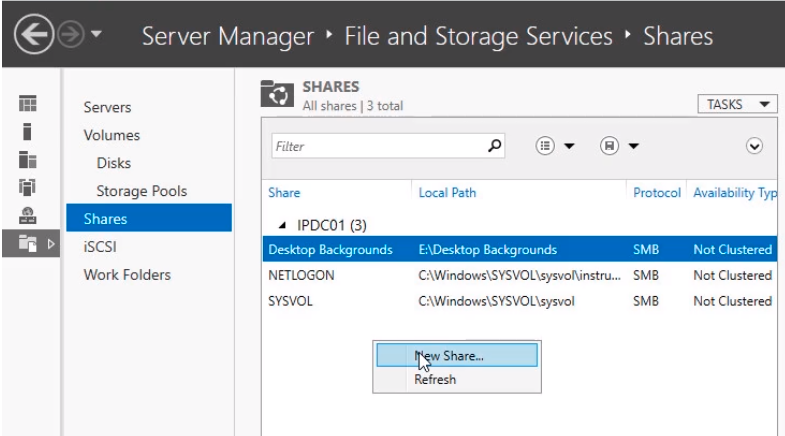
Now on the middle pane right-click and select New Share...
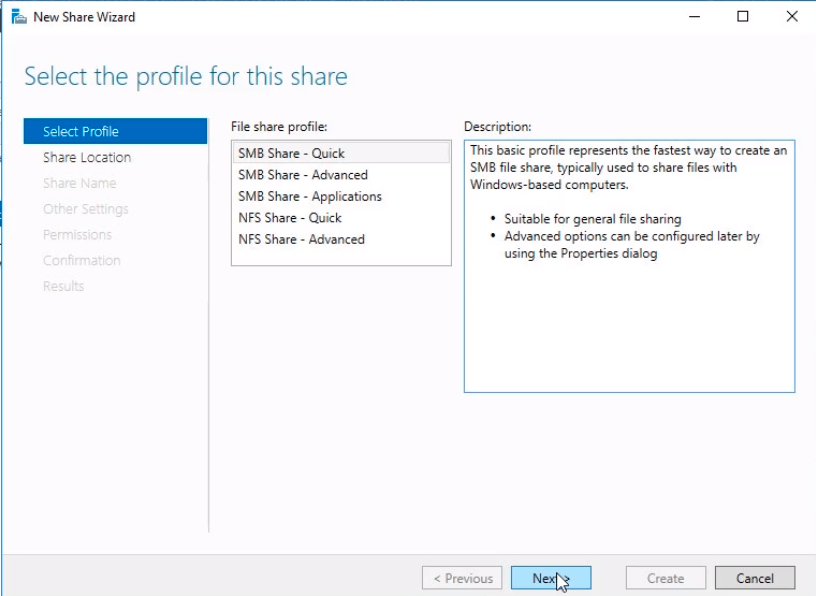
The New Share Wizard window will pop up. Select SMB Share - Quick. This is the fastest way to create a share. Click Next to continue.
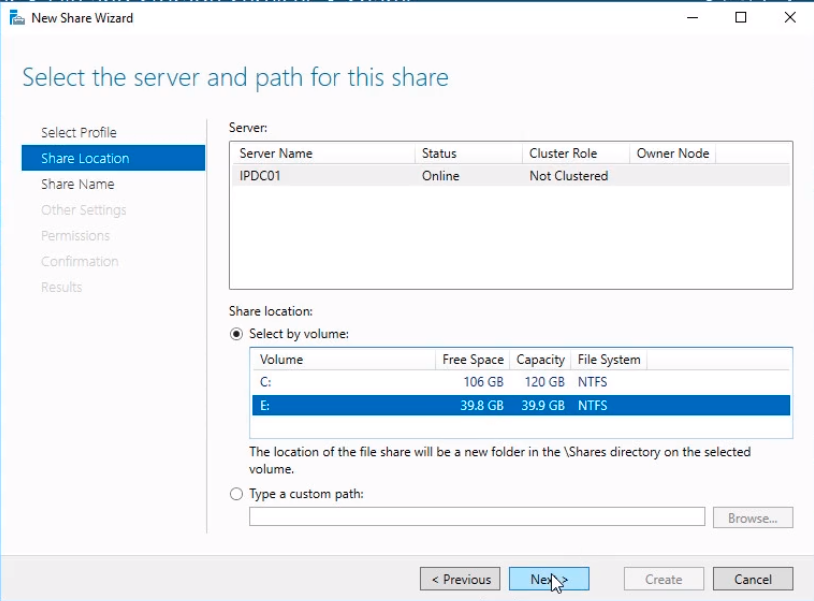
In the Select the server and path for this share window select IPDC01 and on the Share Location choose the E:\ drive and click Next.
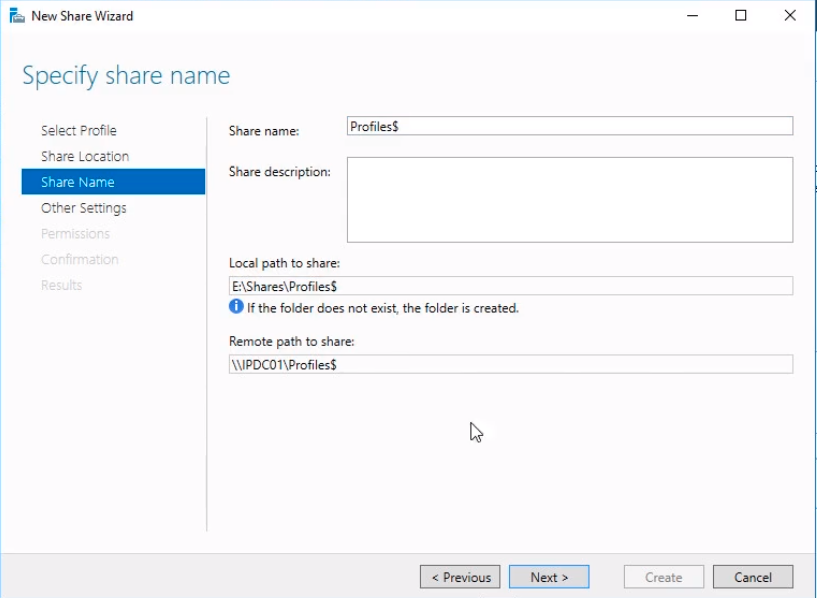
Now we need to Specify share name. Type the Share Name Profiles$. The dollar sign ($) makes the folder hidden so that its not easily viewable by people browsing the share path. Click Next to continue.
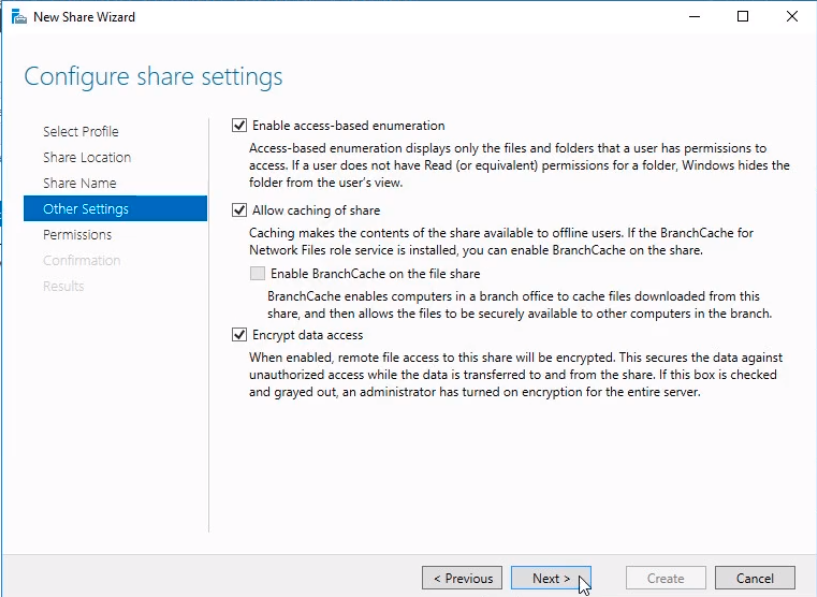
On the Configure sharing settings window, we need to mark Enable access-based enumeration. This enables users to only see folders and files that they have access to. Click on Encrypt data access. This is going to allow us to have more security by encrypting the remote file access. Click Next to continue.
Now we need to specify who is going to be able to access the file share un…
No comments yet. Add the first comment to start the discussion.