
Creating Non-Inheriting Organizational Units for GPO Testing / Troubleshooting
In this lecture, we are going to be creating Non-Inheriting Organizational Units. I will be showing you how they work and why you would like to do that.
Open Active Directory Users and Computers. We are going to create an OU and then I am going to make it so it doesn’t inherit.
NOTE: A Non-Inheriting OU means that the Organizational Unit is not going to Inherit any Group Policy Objects that are not directly linked to the OU except for those Group Policy Objects that are enforced.
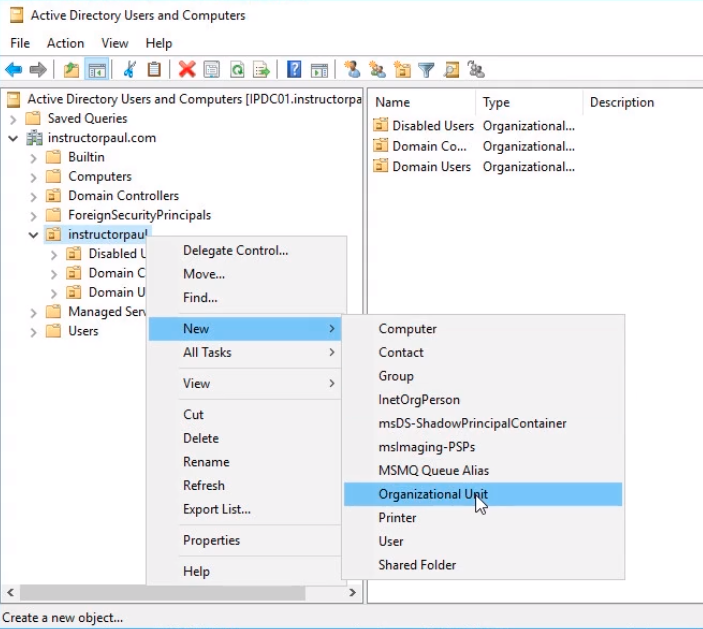
Expand instructorpaul.com > instructorpaul > RIght-Click and choose New > Organizational Unit.
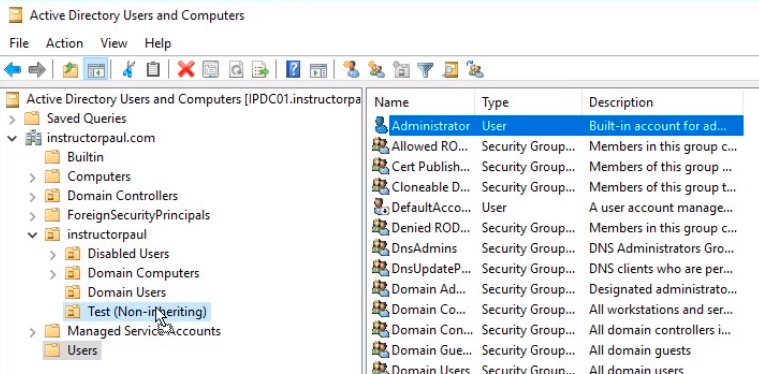
Name the OU Test (Non-inheriting) and click OK.
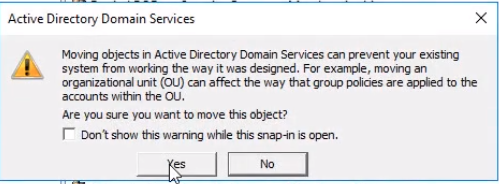
Since we are logged into our Domain Controller and not using a Workstation, we are moving our Administrator user account into this test OU.
Click on the Yes button on the pop-up window.
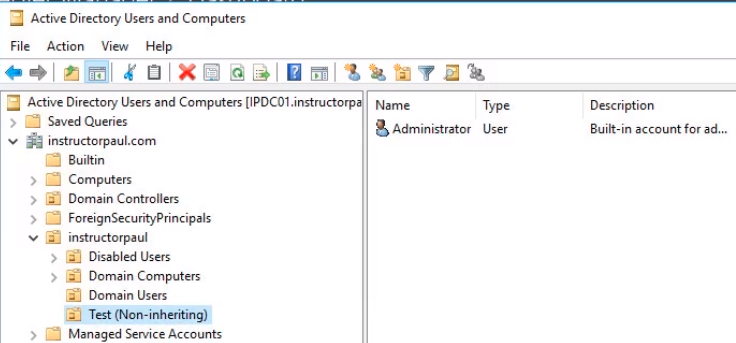
We should be having the user Administrator in our new OU.
Now, click Server Manager > Tools > Group Policy Management.
Expand Forest: instructorpaul.com > Domains > instructorpaul.com > instructorpaul OU.
Since we are testing this on a user account we actually need to create a GPO that has some user settings.
Edit the Default Domain Policy right-clicking it and choose Edit.
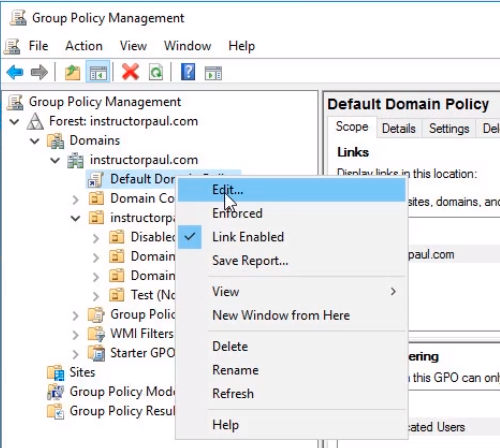
Under User Configuration > Policies > Administrative Templates > Desktop > Desktop. Double click on the right Disable Active Desktop.
![](https://zrftqtvkikjkbtkfalgp.supabase.co/storage/v1/object/public/lesson-images/bba60aa…
No comments yet. Add the first comment to start the discussion.