
Creating and Mounting File Shares with Group Policy
In this lecture, I am going to be showing you how to create a network share or a project drive for different user groups and how you can map them for those user groups automatically.
We are also going to be restricting access between the different user groups so that group A cannot access the shared drive of group B and vice versa.
We are starting this lecture creating the user groups and then we are going to add users to the groups.
Open Server Manager > Tools > Active Directory Users and Computers.
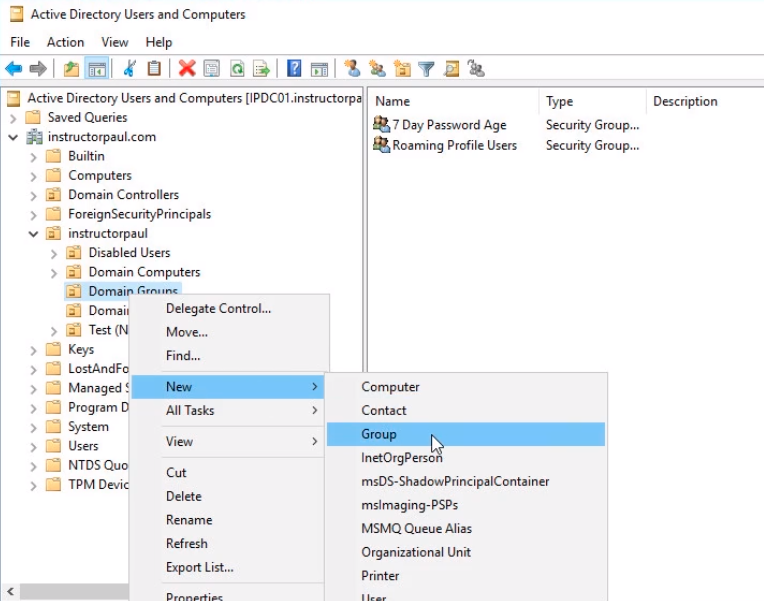
Select the Domain Groups OU, right-click and choose New > Group
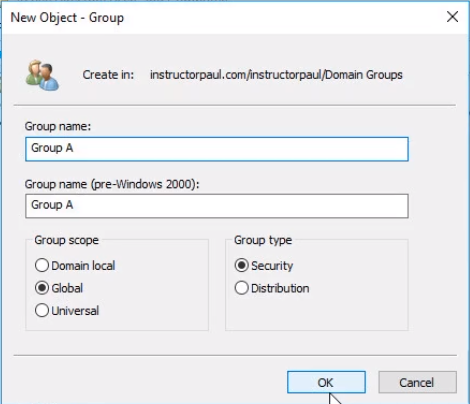
For demonstration purposes, we will call our group Group A, but in your organization might be called Sales, IT, Security, etc. It will be a Security Group and Global Group. Click OK.
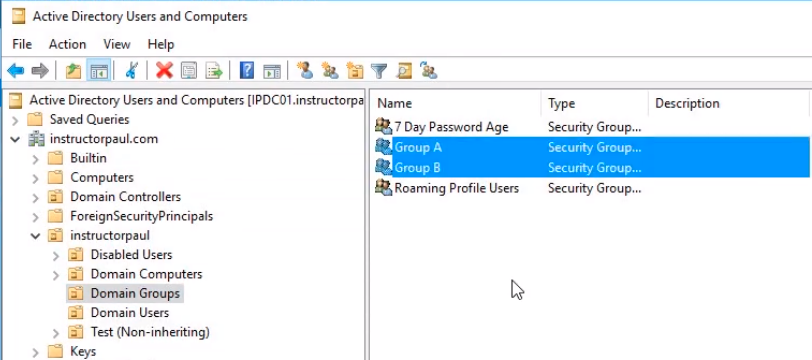
Follow the same steps to create a second group and this time named it Group B.
Now we need to add users to these groups.
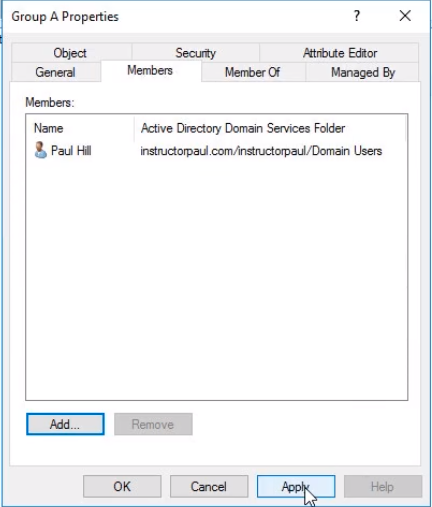
I am going to add paull.hill to Group A. Double click on Group A to open the properties.
Under the Members tab click on Add button and search for paul.hill and click on Check Names button and OK to add the user.
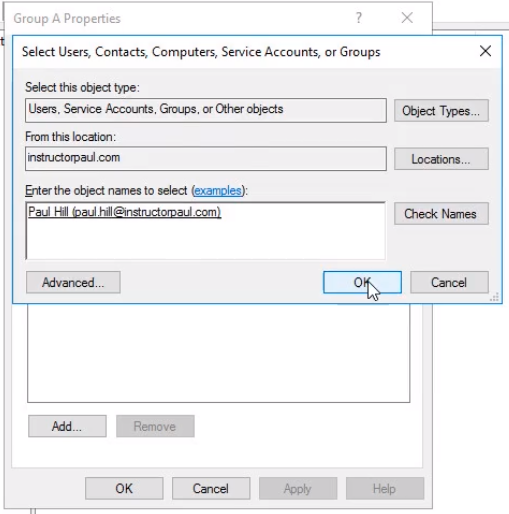
Now click on the Apply and OK button to close the Group properties window.
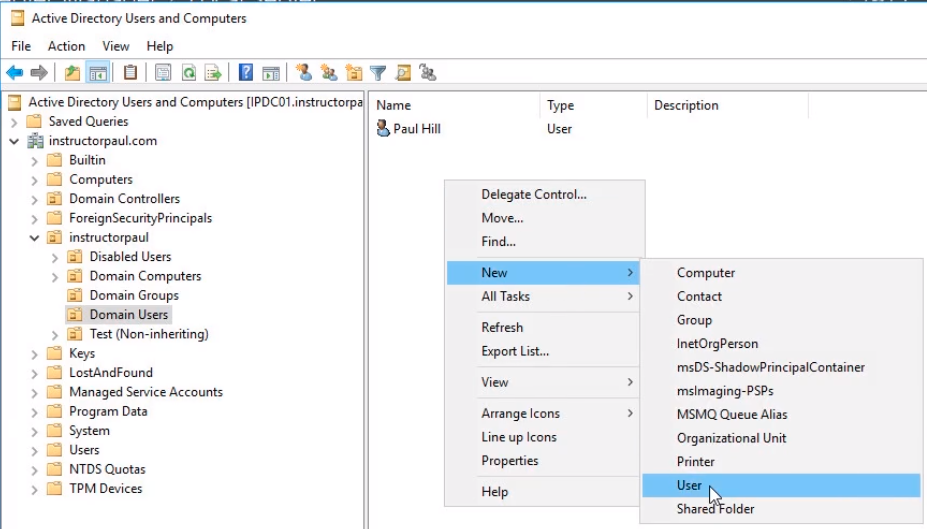
Since we just have one user, we will create another user account. Right-click Domain Users and select New > User.
We will name it Robert Hill and cl…
No comments yet. Add the first comment to start the discussion.