
How to Install Windows Server 2016 on Your Virtual Machine
In this lecture, you are going to learn how you can install an OS or Operating System on your Virtual Machines.
So, I have this VM that we created earlier called Windows Server 2016. Now, I haven’t installed anything on the VM, and if I try to Start it is just going to give me an error saying there are no bootable media. You need one thing to install an Operating System after you create a Virtual Machine. You need an ISO, a disk image file that contains the installation media for your Operating System.
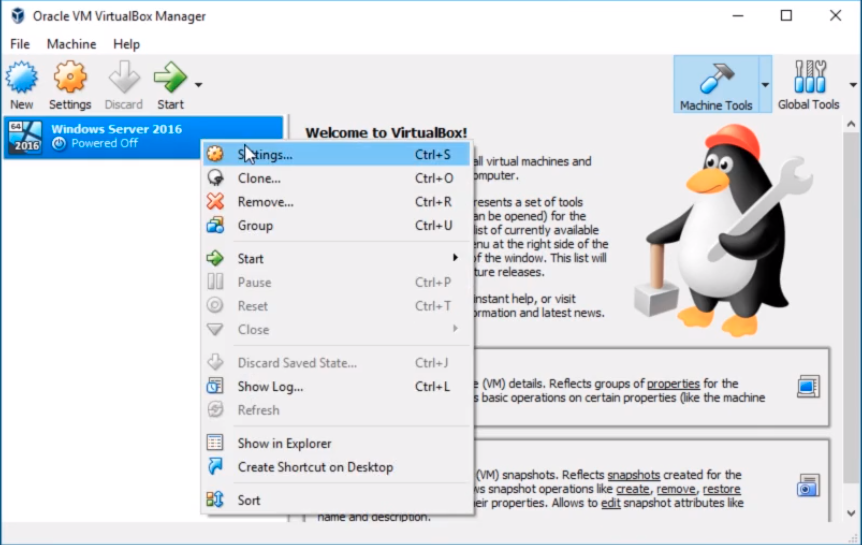
Right-click on the Virtual Machine and click on Settings.
Choose Storage from the left pane options, then under Storage Devices click on the Empty Disk icon, and to the right side under Attributes click on the Optical Drive button to display the drop-down menu where we can Choose Virtual Optical Disk File...
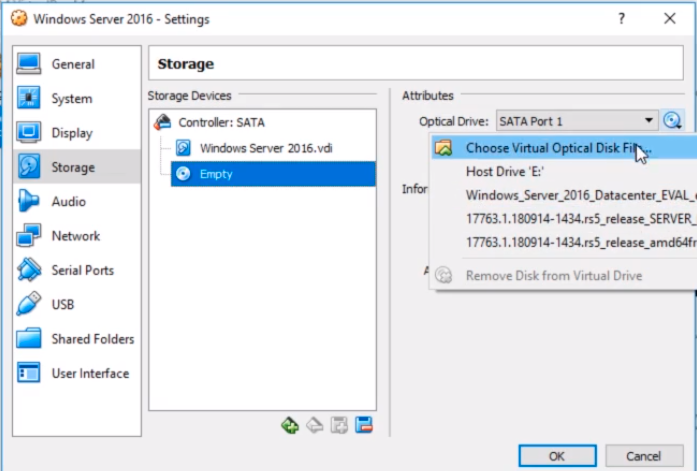
In case you don't have an ISO file let’s see how we can download an ISO file.
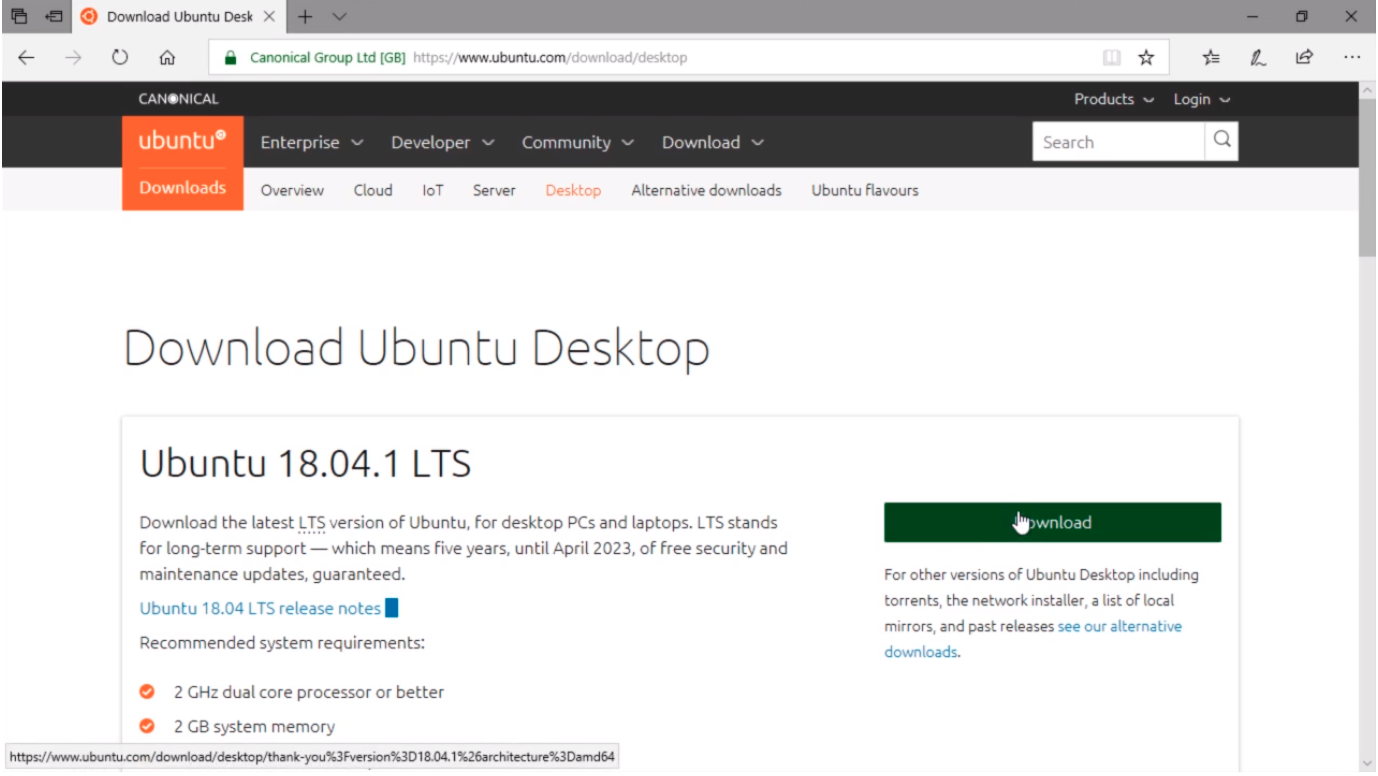
Open Microsoft Edge or your favorite Web Browser and let’s navigate for example to the Download section of https://www.ubuntu.com.
For any software that provides an evaluation, you can download the ISO and install them in your lab. I would click just this download button and I will probably end with an ISO file and I would just mount that to the Virtual Machine.
So what I can do also is go back to Google and Search for Windows Server 2016 ISO Download and press Enter.
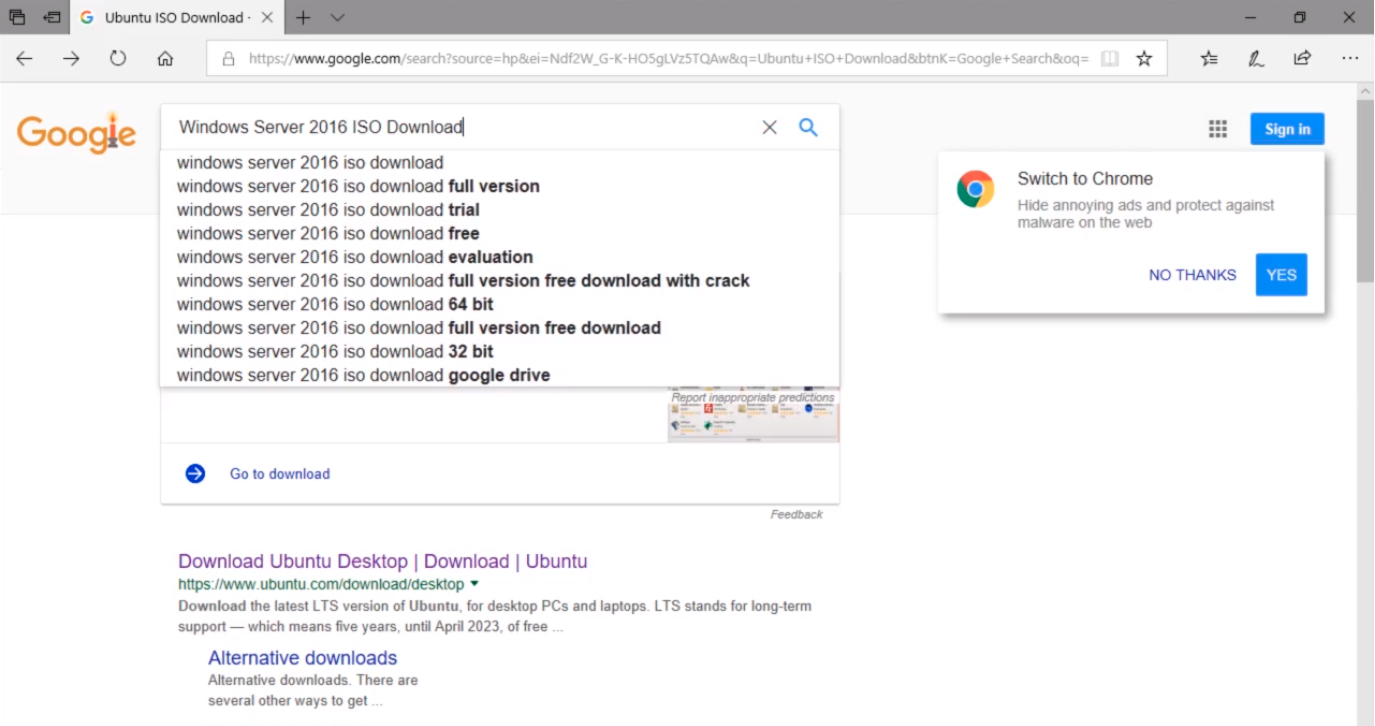
If I open the first search result link page by clicking on the link...
![](https://zrftqtvkikjkbtkfalgp.supabase.co/storage/v1/object/public/lesson-images/86884e0a1c007…
No comments yet. Add the first comment to start the discussion.