
Updating and Configuring needrestart
In this lesson, I'm going to be showing you how to update your Ubuntu Server installation.
There are specific commands that we're going to use for updating Ubuntu.
Updating Ubuntu Server
sudo : elevates our permissions so that we're running our commands as a super user. It is going to prompt for my password because I'm running a command with elevated permissions.
sudo apt update : what this is going to do is update all of the lists of packages so that we know what are the latest versions available.
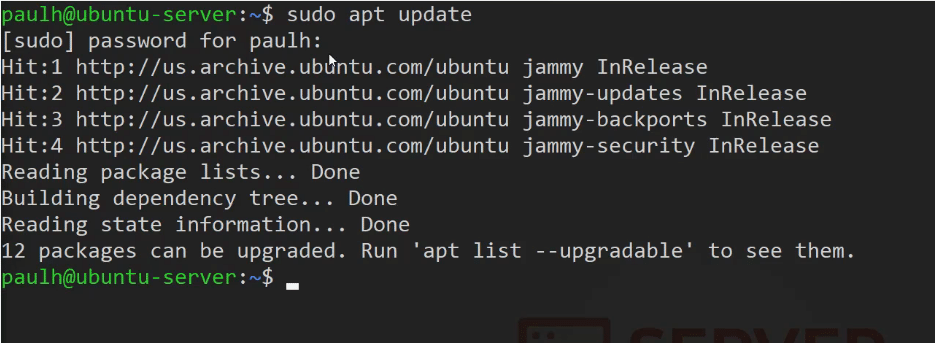 Ubuntu Server - sudo apt update command
apt list --upgradable : with this command you get a list of the updates (12) available through the APT package manager.
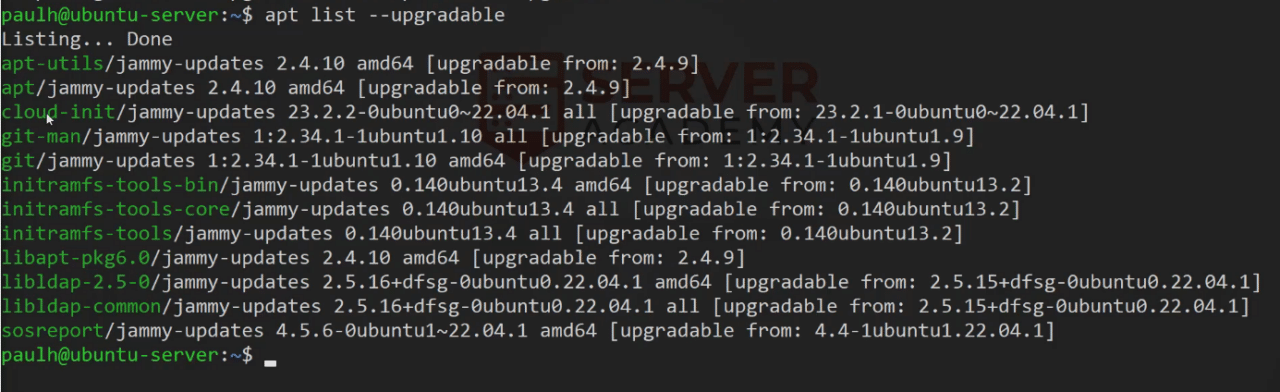 Ubuntu Server - apt list --upgradable command
sudo apt upgrade : this command is going to upgrade all of these packages that are listed here. Press Enter , and now type yes , and to continue press Enter.
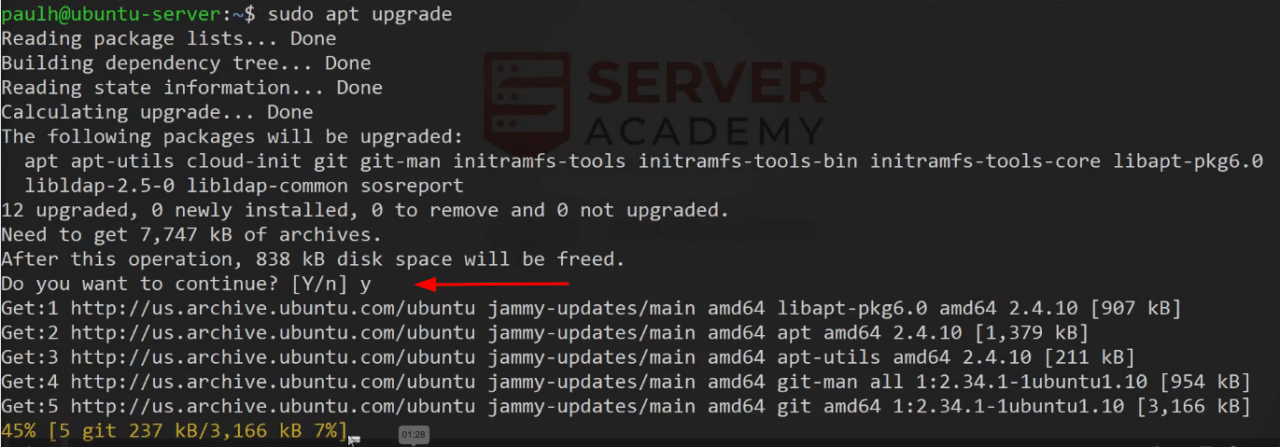 Ubuntu Server - sudo apt upgrade command
Configuring needrestart
With nano edit the file /etc/needrestart/needrestart.conf So we'll go ahead and press Enter.
 Ubuntu Server - nano needrestart.conf file
Inside this file, we're looking for the section of the script where we define whether or not this is going to be interactive or not, and, this is the restart mode. (l) is list only. (i) is interactive, which is what it is set to right now by default, and (a) is automatically restart, which i…
No comments yet. Add the first comment to start the discussion.