Contracts and weekly pay
Clients hire you to stand up a working office. Finish the job, claim the payout, and take the next brief.
IT Office Simulator is a free IT simulator game from Server Academy. Build a 3D office, run network cable, power and configure devices, and work help desk tickets for real client contracts — the hands-on side of IT that courses alone don't teach.
No download. No credit card. Sign up any time to save your company.
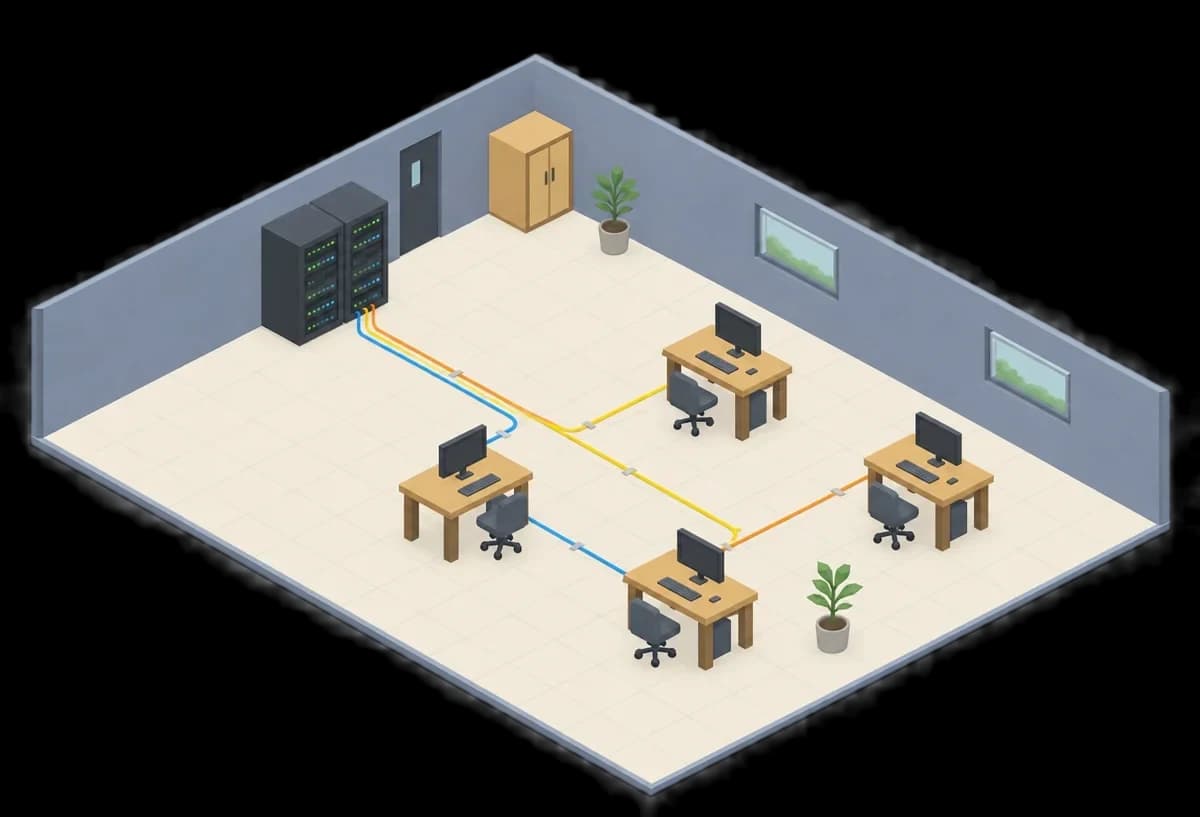
IT Office Simulator is a company sim built around hands-on IT tasks: contracts, cabling, tickets, and a floor you own.
Clients hire you to stand up a working office. Finish the job, claim the payout, and take the next brief.
Patch panels, wall jacks, switches, and breakers follow the same path a real network uses. If a cable is missing, the desk is dark.
A live site does not stay quiet. Incoming tickets send you back to fix what broke.
Lay out rooms, place gear, and keep the company on one account so your office is there when you come back.
Cable it, power it, configure it, then automate it. Every diagram here comes straight from the in-game manual.
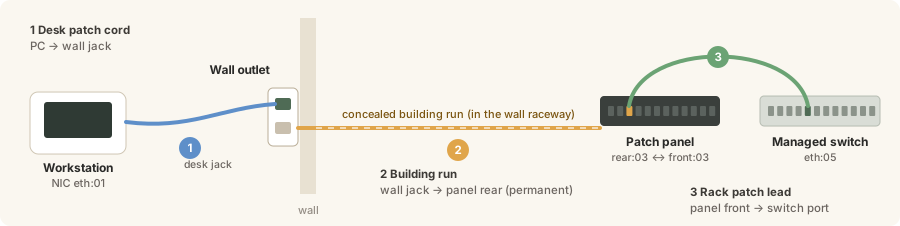
A desk connection takes three links: a patch cord to the wall jack, a building run to the patch panel rear, and a patch lead from the panel front to a switch port. Miss one and the desk is dark.
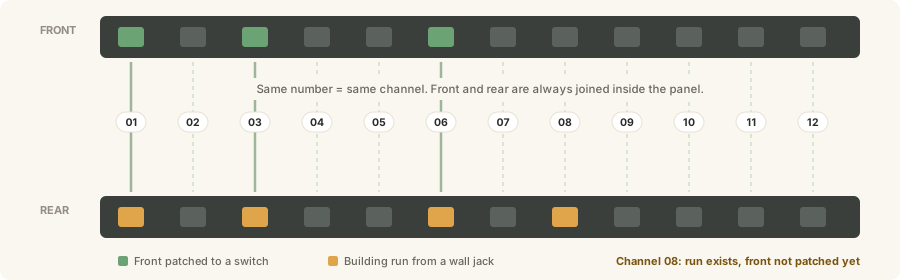
Same number, same channel. See which building runs have landed and which are patched through to the switch.
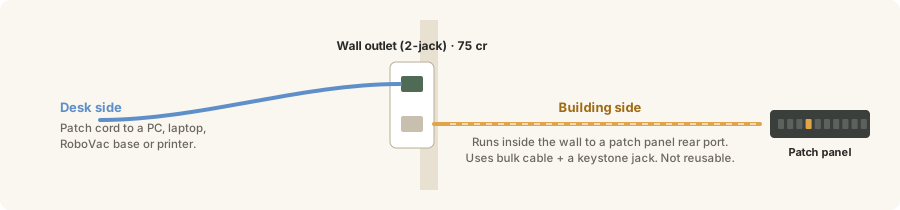
Patch cords plug into the room. Bulk cable and keystone jacks run inside the wall to the panel.
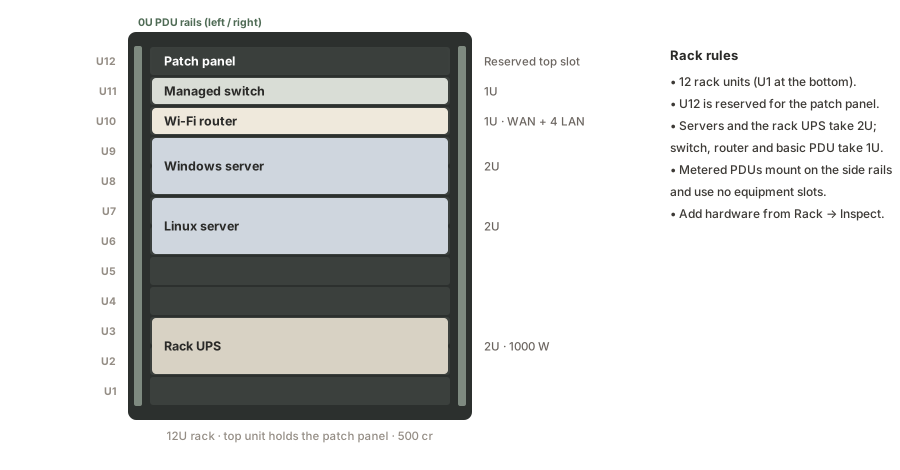
Twelve rack units, numbered from the bottom. 1U switches and routers, 2U servers and UPS, a patch panel up top, and PDUs on the side rails.
Read link lights, separate WAN from LAN, then configure a router that ships with DHCP off and Wi-Fi disabled.


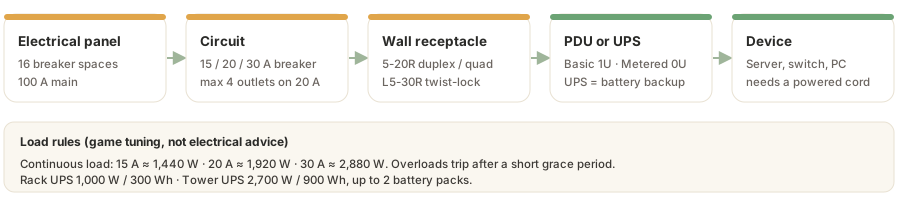
Panel, circuit, receptacle, PDU or UPS, device. Overload a circuit and the breaker trips.
No download. No credit card. Sign up any time to save your company.
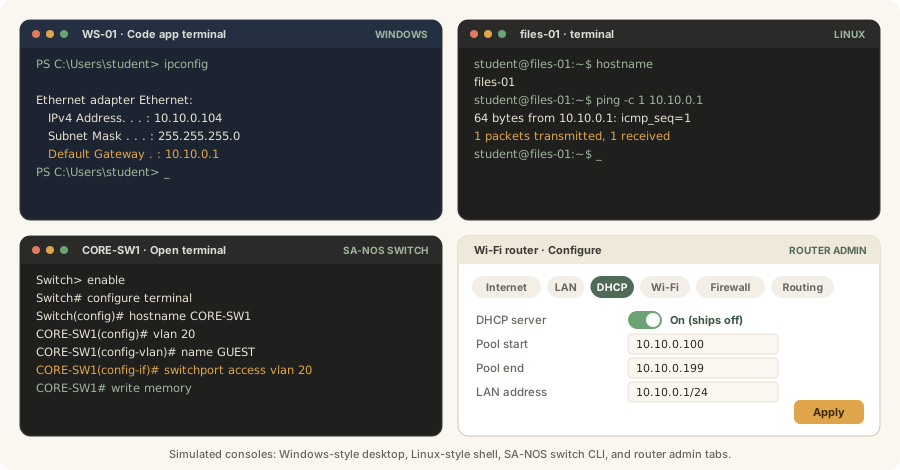
Each device opens a simulated console: a Windows-style desktop, a Linux-style shell, an SA-NOS switch CLI modeled on the commands taught in networking classes, and router admin tabs. They cover the tasks contracts check, like setting hostnames, checking addresses, pinging across 10.10.0.0/24, building VLANs, and turning on DHCP and Wi-Fi.
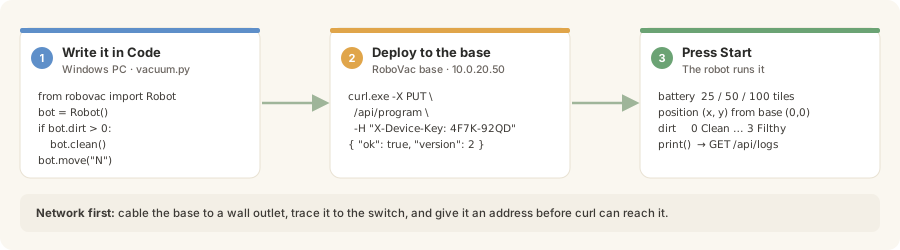
Write Python in the Code app on a Windows PC, then deploy it to a RoboVac over the office network you built. The starter program is faulty on purpose: it never goes home and only cleans the edges. Fixing it is your job.
from robovac import Robot

bot = Robot()
dirs = ["N", "E", "S", "W"]
heading = 0

while bot.battery > 10:
    if bot.dirt > 0:
        bot.clean()
    if not bot.move(dirs[heading]):
        heading = (heading + 1) % 4

print("Low battery at", bot.position)
StockBot works the same way, carrying supplies between shelves and stations.
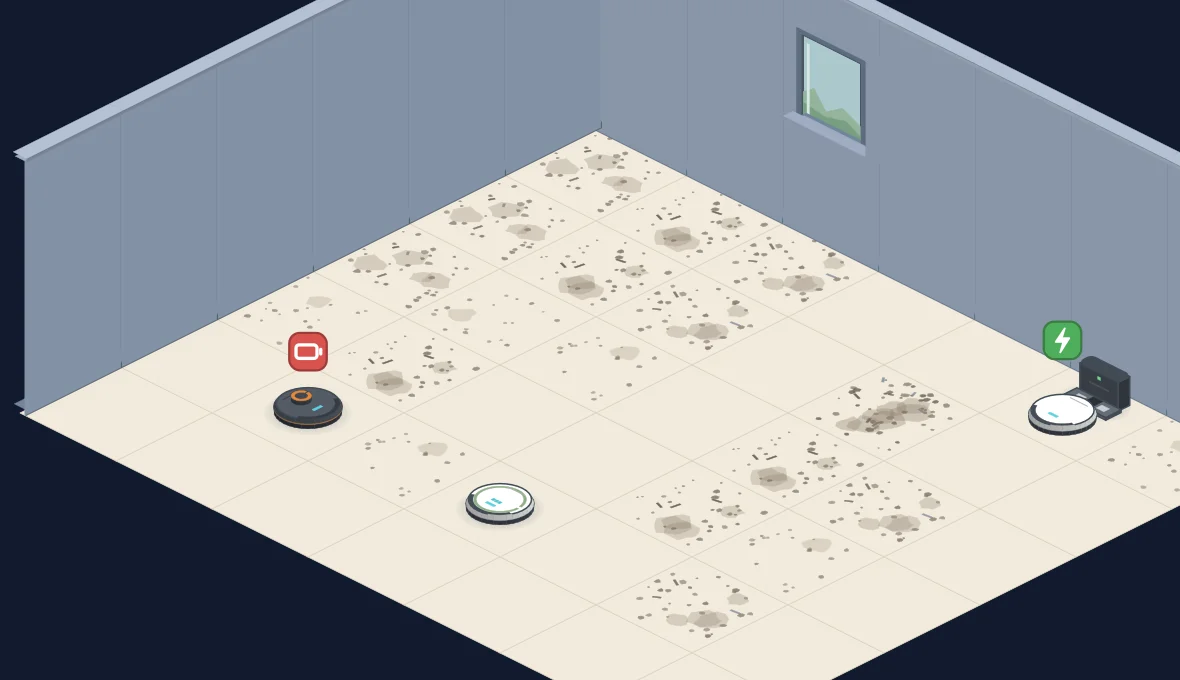
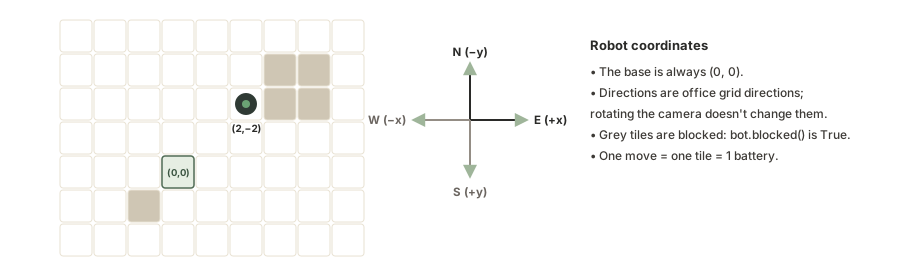
Push vacuum.py to the base with curl.exe and a device key, then press Start. The robot navigates by coordinates relative to its base, so getting home before the battery dies is a real algorithm problem.
No download. No credit card. Sign up any time to save your company.
Run a small IT company. Accept HQ jobs and grow reputation in this IT simulator.
Cable desk to wall jack to patch panel to switch — a network cabling game with real power and rack work.
Set up DHCP, VLANs and Wi-Fi, claim pay, and grow your help desk simulator skills.
Early access: IT Office Simulator is in active development. Expect bugs and frequent changes.
| Area | Guest | Free account |
|---|---|---|
| 3D play | Play in the browser with no sign-in | Same office, saved in the cloud |
| Saves | This browser only — refresh can lose work | Cloud save across devices |
| Company hub | Not yet | Name your company, tickets, contracts, reports |
| Credits | Local play, claim after signup | 10,000 starting credits |
| Paid plan | None. No credit card required. | |
This office simulator points at Server Academy courses for the same work.
Give docks and PCs addresses the way a real help desk would.
Installing and Configuring DHCPInstall and configure the OS you use on office workstations and servers.
Installing and Configuring Windows ServerBuild the path from desk to switch in this network cabling game, then study the lab course.
Building your IT LabYes. This is a free IT simulator. There is no paid tier and no credit card.
No. Click Play free in your browser to start as a guest. Create a free account any time to save your company.
Yes. You can lay out the office and place gear on a phone. A larger screen is better for terminals and dense rack work.
Guest work lives in this browser. A refresh can lose it. Sign up to keep the office in the cloud.
Help desk and networking skills: contracts, cabling, power, DHCP, VLANs, Wi-Fi, and OS setup — the same loop as a small IT company.
IT Office Simulator is in active development. Expect bugs, missing client sites, and frequent changes.
No download. No credit card. Sign up any time to save your company.