
Resetting User Passwords
In this lecture, I’ll be teaching you how to reset user passwords as well as locating and finding user accounts that you might not be able to find just here in this explorer pane.
So, here you'll notice we created the account Paul Hill. I can easily reset this password by right-clicking and choosing Reset Password.
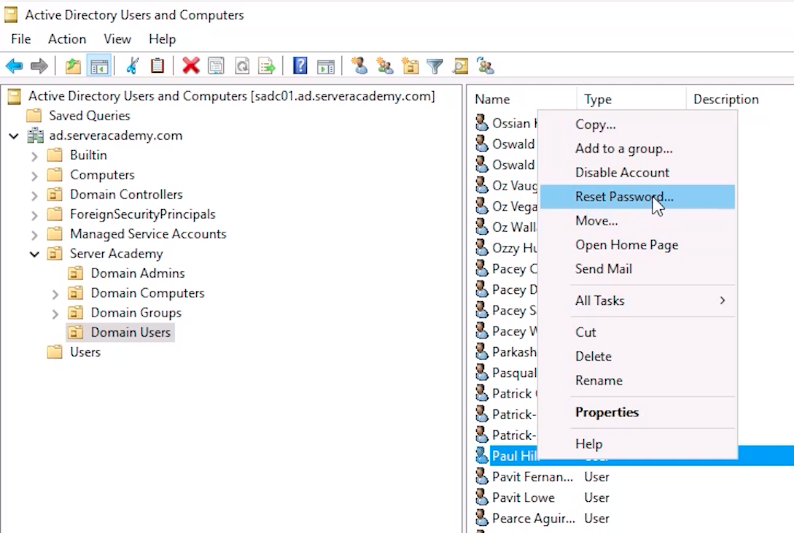 ADUC Reset Password
However, if I was to refresh this Organizational Unit, and again, we are going to get this message here that says "2000 of approximately 4648 items were retrieved. "
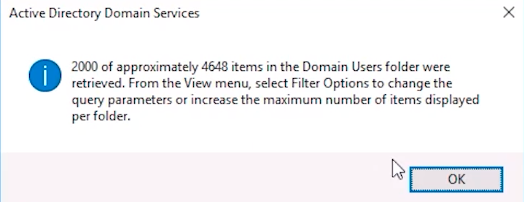 ADUC User Display Limit
Now, this is because is trying to improve the performance so not all the user accounts were listed. So, I may or may not be able to find my user account Paul Hill. So, if I hit the first letter on my keyboard, P, and scroll down and look for Paul Hill, I am not going to see it in this list, and that's because not all user accounts were retrieved. So, what we have to do is use the Find objects in Active Directory button. What I need to do is type in the name of the user account and just hit Find Now and now I can see the user account that I am looking for.
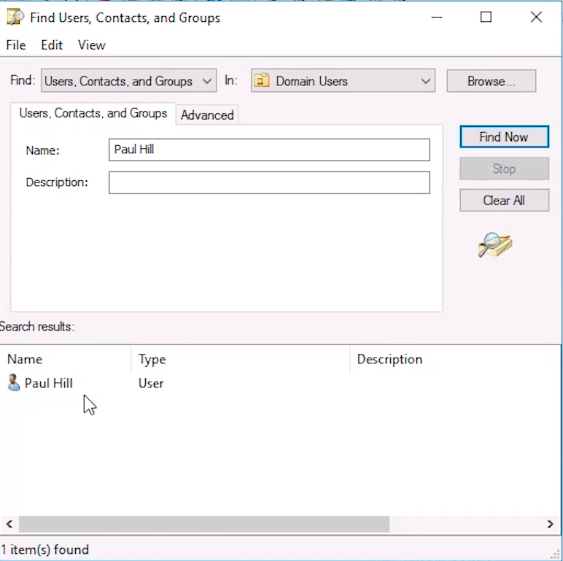 Find User Account Paul Hill
Now, one thing I want to point out is if I am in a different Organizational Unit, say I am on the Users container and I do the exact same process, it will not work, meaning there will be no users returned in the list here.
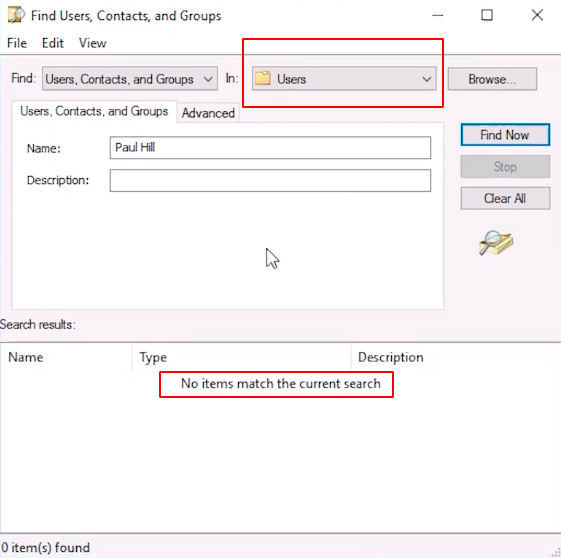 find User Account Paul Hill in the Users Container
And that's because we have…
No comments yet. Add the first comment to start the discussion.